 Affonso
Hide settings in the embedded affiliate portal
Use this when you embed the referral dashboard in your product and want affiliates to focus on their link and stats, without Settings entry points.
Standalone portal navigation is unchanged. Only the embedded experience respects this toggle.
Before you begin
Make sure you have:
- an Affonso program with the embedded referral dashboard set up
- access to Affiliate Program → Appearance
Steps
Open Appearance Embed
Open Affiliate Program → Appearance and switch to the Embed tab.
Turn off Show settings controls
In the Referral Link features list, turn off Show settings controls.
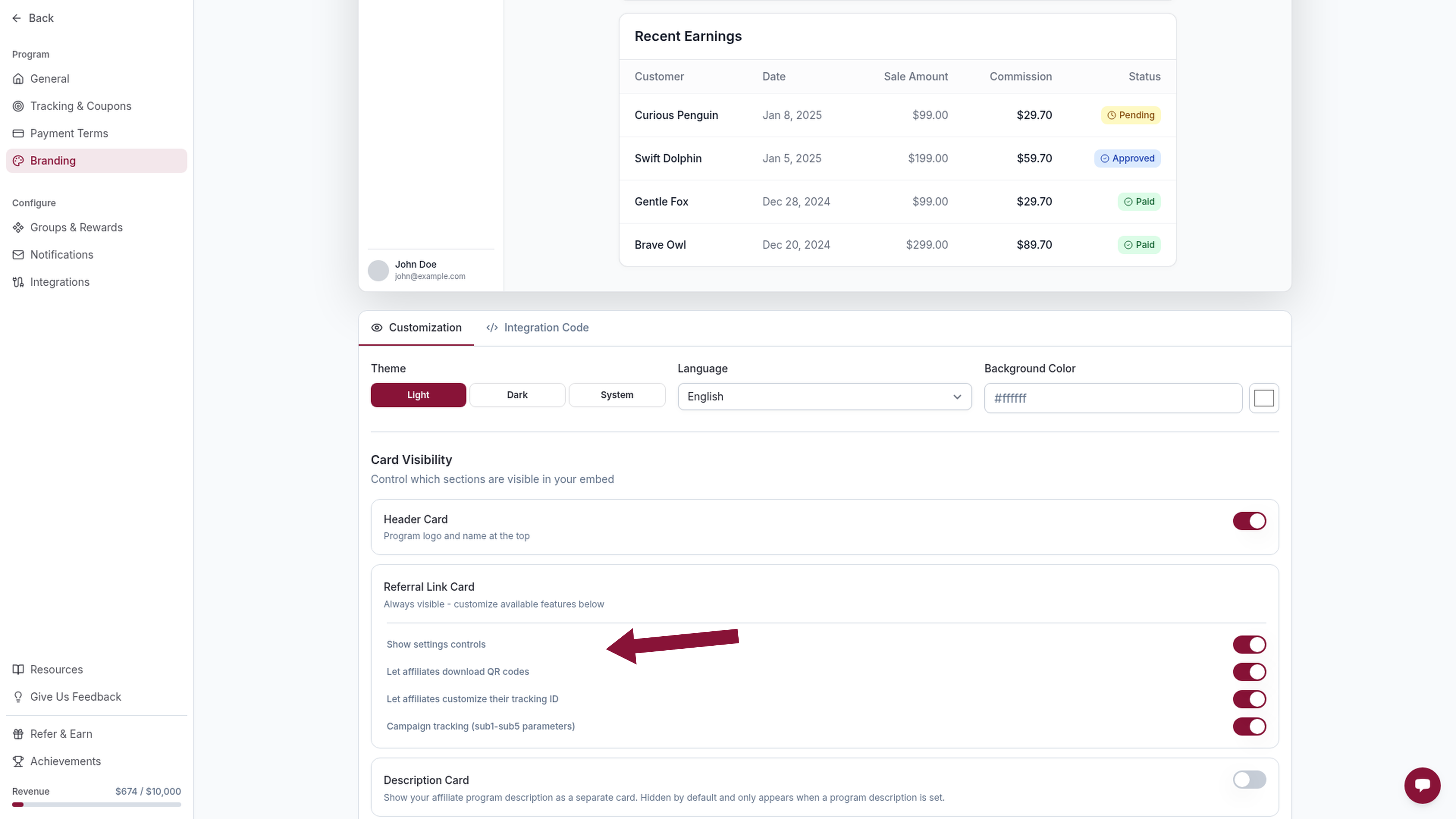
The live preview hides the Settings control. Generated embed URLs include showSettings=false.
Deploy the updated snippet
Copy the updated integration snippet (or add showSettings=false to your existing iframe URL) and deploy it in your app.
What this hides
When showSettings=false:
- the referral-link advanced Settings control in the embed
- payout-settings navigation in the embed
Other visibility toggles (showHeader, showRewards, showReports, showResources, showPayouts, and the referral-link feature switches) stay independent. Partners can enter payout information (showPayouts=true) is a separate opt-in and stays off unless you turn it on. Open Campaigns still appear under Your Rewards when they exist, even if showRewards=false.
Undo
Turn Show settings controls back on, or remove showSettings=false from the iframe URL. Omitting the parameter defaults to Settings visible.
Related
Was this article helpful?

Ready to grow your business
through partnerships?
Find the right partners, help them promote, and turn their work into measurable revenue.