 Affonso
Cancel a pending payout
Delete the payout. There is no separate Cancel or Void action. Delete / Delete Payout works only while the payout is Pending. The commissions are not deleted. They go back to ready-for-payment and can enter a later payout.
You cannot remove one commission from a payout in place. The product returns: This commission is part of a payout. Delete the payout first.
Managed rows that are already in the Affonso-paid cycle do not offer Delete. Those show Processed automatically.
If the commission is not in a payout yet, reject the referral or decline the commission instead of deleting a payout.
Open Pending
Open Payouts → Pending. Find the row under Open Payouts.
Delete the payout
On desktop, open the row menu and click Delete Payout. On a narrow screen, click Delete.
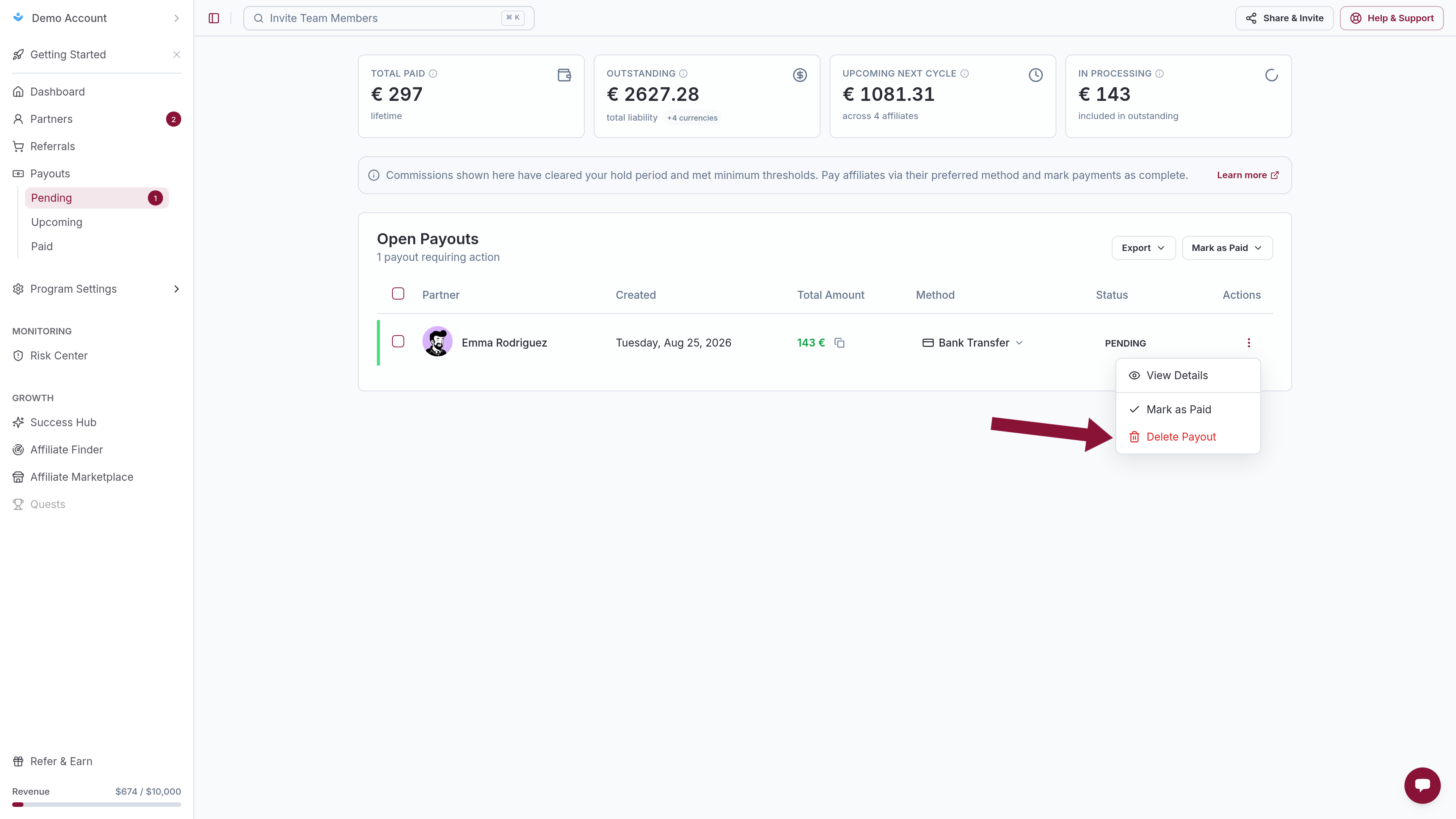
Confirm Delete Payout. The dialog states the payout is removed and the referral transactions remain for future payouts.
Status must stay Pending. Paid and Managed processing rows cannot be deleted in this UI.
Remove one commission from a payout
Delete the payout first
Use Delete Payout on that affiliate's Pending row. Every commission on that payout returns to the pool. There is no per-commission unlink.
Decline the commission that should not be paid
On Sales or Referrals → View Transactions, set that commission to Declined. Full click-path: Reject referrals and commissions.
Let the rest regenerate
The remaining commissions enter the next scheduled payout, or generate them now with Manually Generate Payouts.
Managed Payouts
On Managed Payouts rows the footer is Processed automatically plus View Details. Delete and Mark as Paid are hidden. There is no merchant cancel for that cycle in the app.
Pending rows that were created before Managed was enabled, or that belong to affiliates with Not configured, still sit under Open Payouts and can be deleted or paid manually.
Common issues
Delete is missing on the row
Cause: The payout is not Pending, or Managed Payouts is processing it.
Solution: Only Open Payouts / Pending rows can be deleted. Managed processing payouts cannot be cancelled in this UI.
Cannot decline or delete one sale that is already on the payout
Cause: A commission linked to a payout is locked.
Solution: Delete Payout first, then Declined on the sale. Do not use reject-referral alone; rejecting a referral does not remove commissions already on a payout.
Need to stop a commission that is not on a payout yet
Cause: No payout exists, so Delete Payout does not apply.
Solution: Decline the commission or reject the referral.
Related
Was this article helpful?

Ready to grow your business
through partnerships?
Find the right partners, help them promote, and turn their work into measurable revenue.