 Affonso
Connect a custom domain to your affiliate portal
Hosting your affiliate portal on your own domain (for example partners.yourbrand.com) looks like part of your product instead of a generic yourprogram.affonso.io subdomain. SSL is included. Custom domains are a Growth plan feature.
Before you begin: you need a Growth plan, access to Affiliate Program → Branding, and access to the DNS provider for that domain (Cloudflare, Namecheap, GoDaddy, Route 53, and so on).
Open the Portal URL dialog
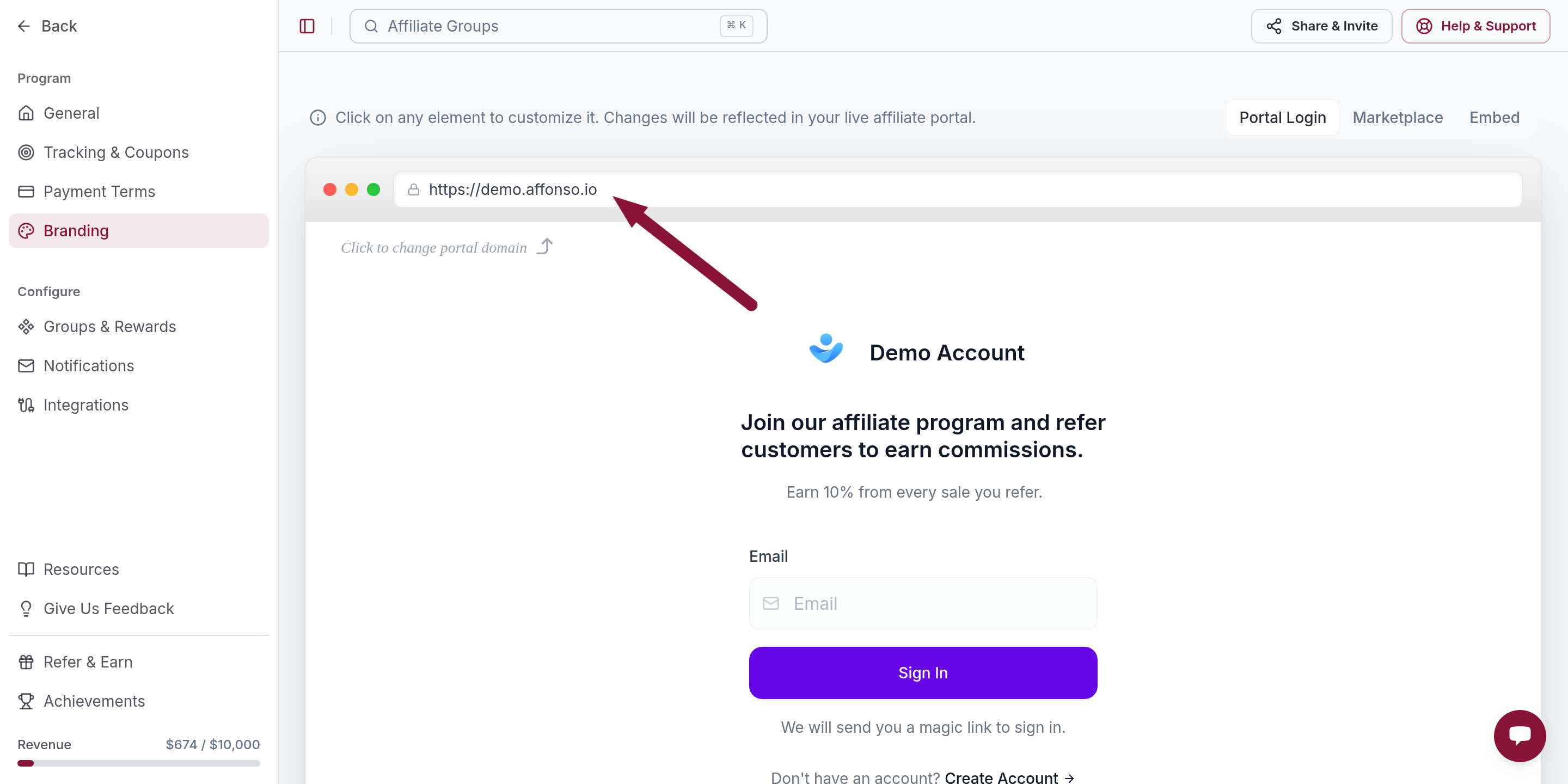
Open Affiliate Program → Branding. In the live portal preview, click the URL (or Click to change portal domain).
Turn on Use Custom Domain
The Portal URL dialog lets you edit the *.affonso.io subdomain or switch to your own host. Flip Use Custom Domain.
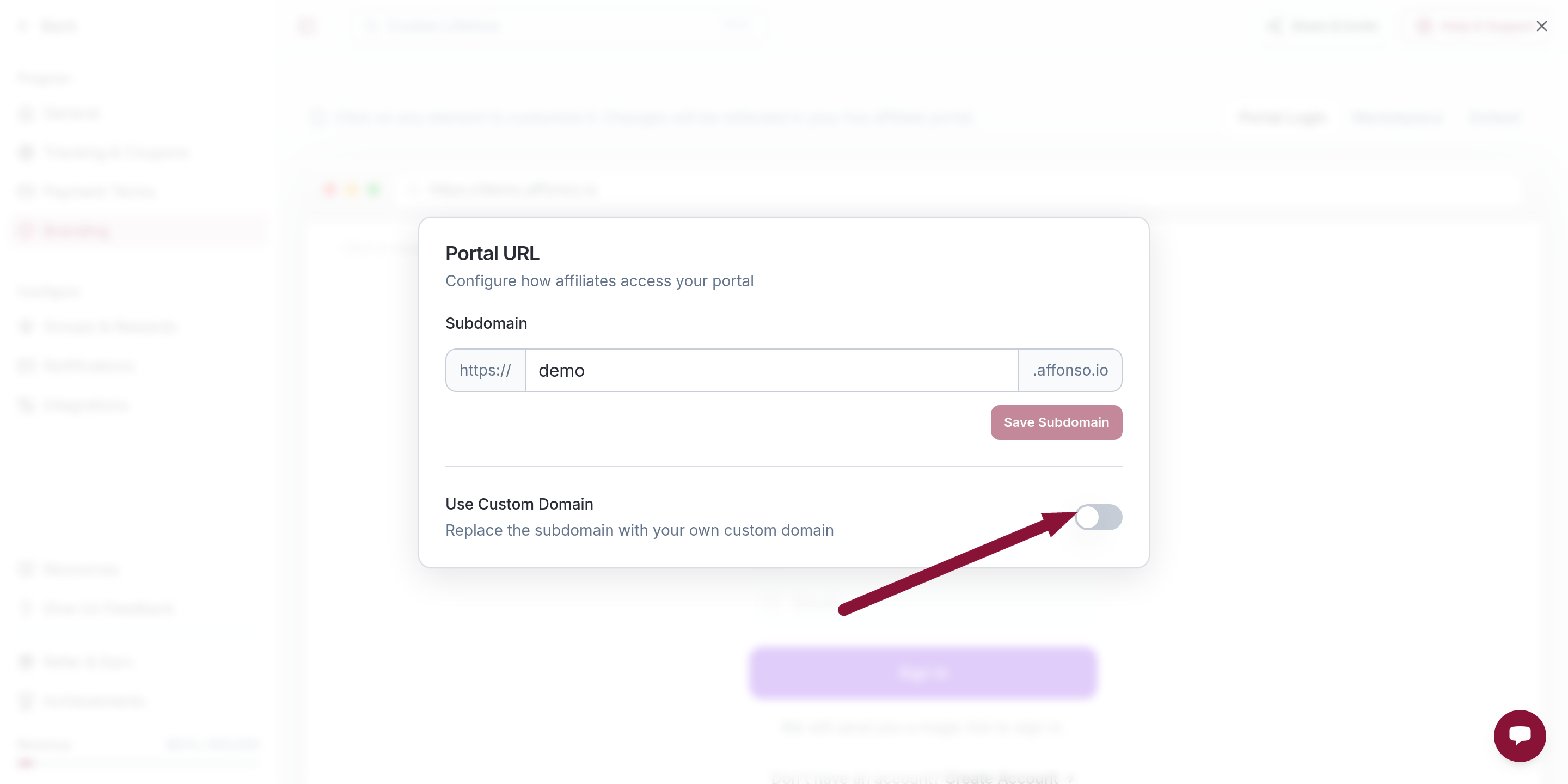
If you are on Launch, you will see a Growth badge instead of a working toggle. Upgrade to Growth first.
Add the domain
Enter the host you want to use, without https:// and without www.
- Good:
partners.yourbrand.com - Not accepted:
https://partners.yourbrand.com,www.partners.yourbrand.com
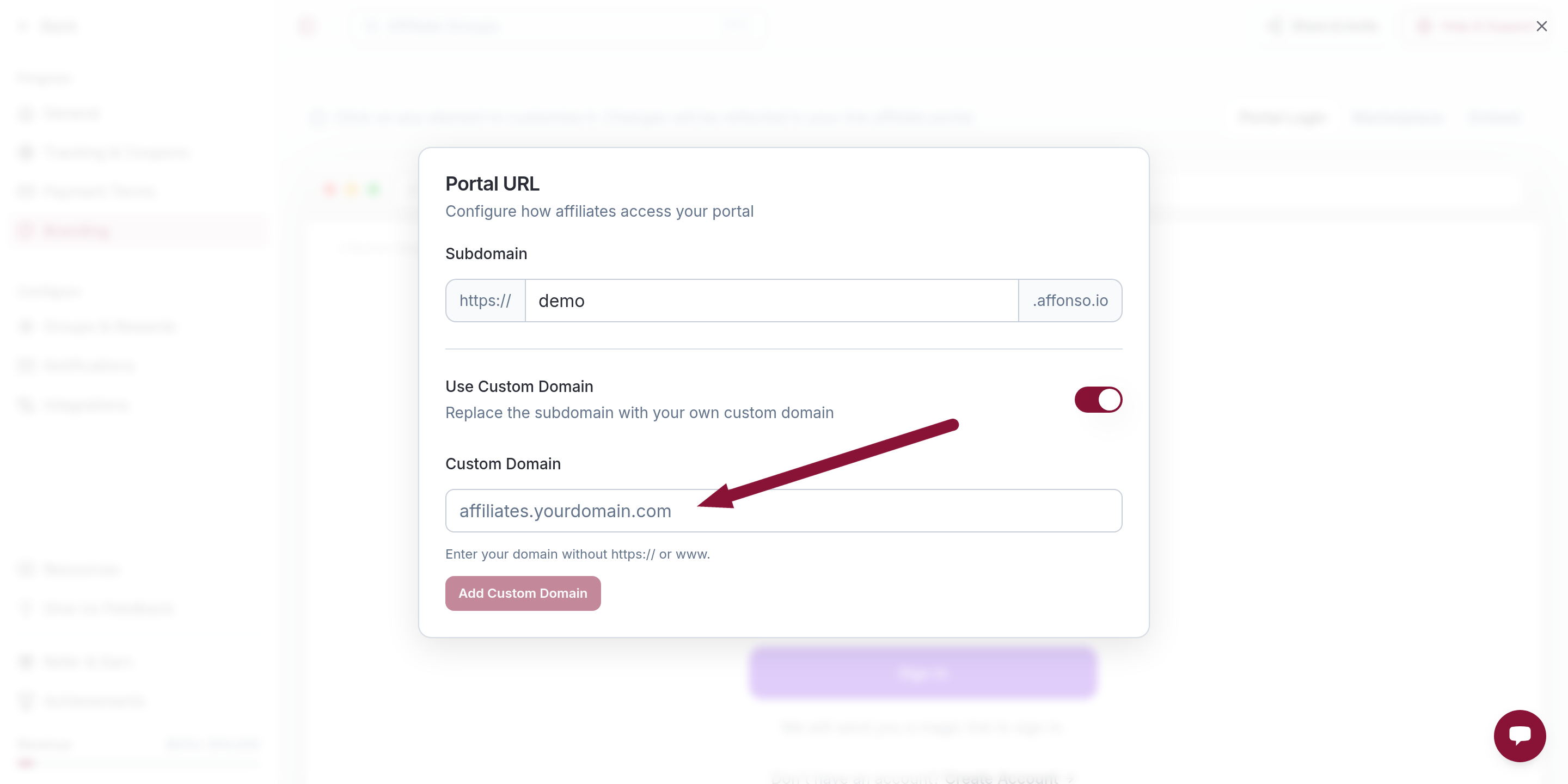
Click Add Custom Domain. Status starts as pending while Affonso asks you to prove ownership and point DNS.
Add the TXT record (ownership)
Until the domain is verified, Affonso shows an Ownership Verification table. Copy Type, Host, and Value with the copy buttons (the host is often _vercel).
At your DNS provider, create a matching TXT record. Save it.
You can remove the TXT record after verification succeeds. It is only for ownership.
Point the domain (DNS records)
If the domain is verified but not live yet, Affonso shows a DNS records table: Type, Host, Value, and Status. Copy each row into your DNS provider exactly as shown. Do not invent the target. Use the values from the table.
This is usually a CNAME (or an A record on an apex host). Some providers want a trailing dot on the target.
Do not leave an old A or CNAME on the same host. Conflicting records keep the portal on the previous destination.
Check verification
Back in the Portal URL dialog, click Refresh or Check verification. Affonso waits at least two minutes between checks.
DNS can take a few minutes and up to 48 hours. When both verification and DNS are in place, status becomes active and the portal answers at https://your-custom-domain.
SSL is provisioned automatically. You do not upload a certificate.
Common issues
Stuck on pending after many hours
Cause: the TXT or CNAME does not match, or an old record is still on that host.
Solution: compare Type, Host, and Value with the tables in Affonso. Wait out TTL, then click Check verification again (after the two-minute cooldown).
"Growth Plan required"
Cause: custom domains start at Growth.
Solution: upgrade, then add the domain again.
"Please enter domain without protocol" or without www
Cause: https:// or www. was included.
Solution: enter only the host, for example partners.yourbrand.com.
"This domain is not allowed"
Cause: Affonso blocks some public suffixes and brand domains (including affonso.io itself).
Solution: use a subdomain on a domain you own.
Verified, but Status is still "Not configured"
Cause: ownership TXT is done, the pointing record is not.
Solution: add every row from the DNS records table, then Check verification again.
Refresh is disabled with a timer
Cause: Affonso rate-limits checks to once per two minutes.
Solution: wait for the countdown, then click again. Checking more often will not speed up DNS.
Remove the custom domain
In the Portal URL dialog, turn Use Custom Domain off or click Remove. The portal falls back to your *.affonso.io subdomain. Update any links you already shared with affiliates.
Next steps
Once the domain is active, finish portal branding (logo, colors, custom texts) on the same Branding page so the custom host matches your product.
Was this article helpful?

Ready to grow your business
through partnerships?
Find the right partners, help them promote, and turn their work into measurable revenue.