 Affonso
Want to share instructions with partners?
Reject referrals and commissions
Reject a referral to block future commissions from that customer. Decline a commission to remove one transaction. Rejecting a referral does not decline commissions already generated.
For self-referrals, see Reject a self-referral.
Reject a referral
Use this when the referral relationship itself is invalid and you want no future commissions from that customer through that affiliate.
Open Referrals
Open Referrals. Find the referral.
Change Status to Rejected
Click ⋯ on the row. Choose Change Status, then Rejected.
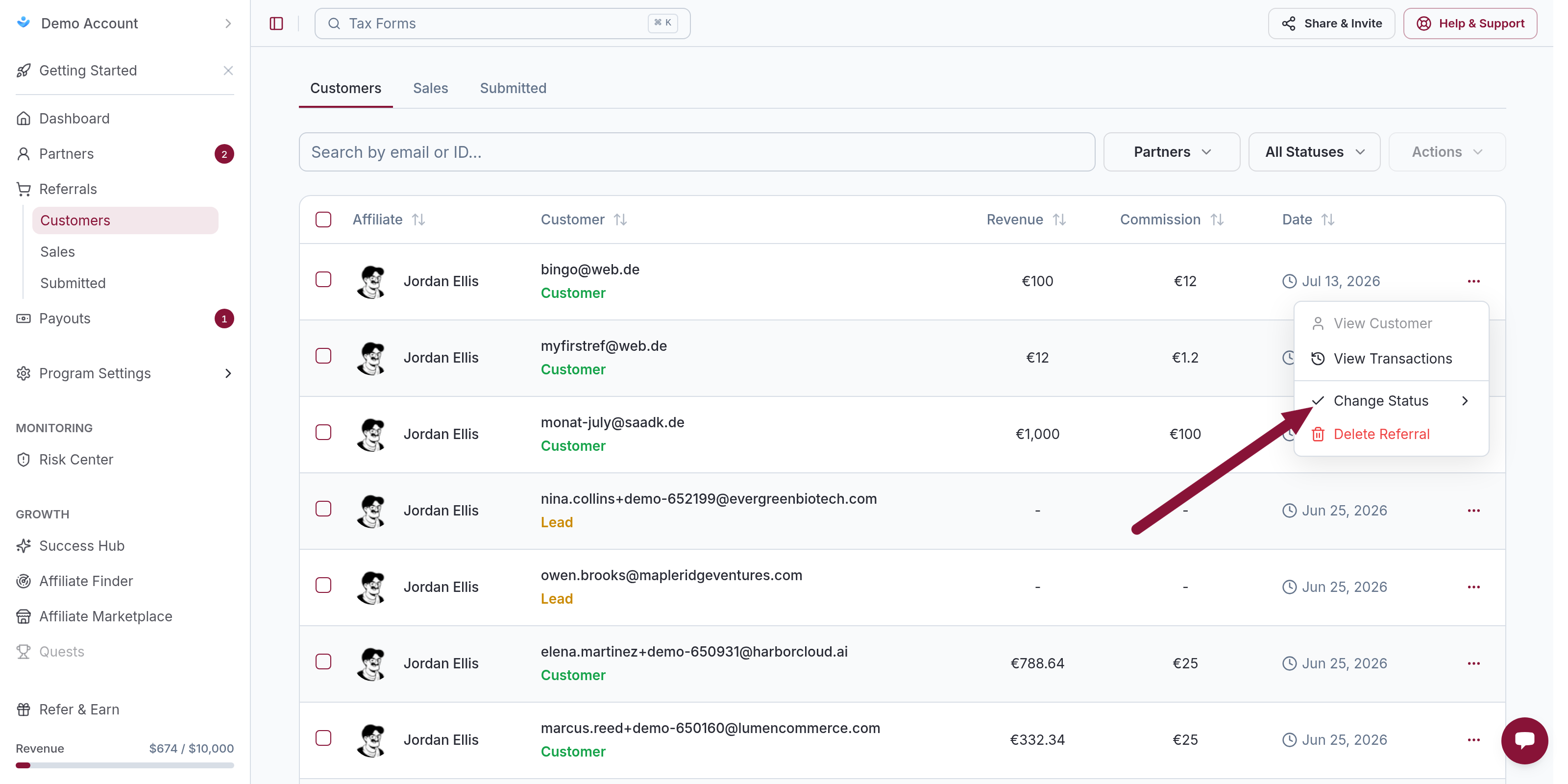
The referral status becomes Rejected. Later purchases from that customer through that affiliate do not generate commissions. Existing commissions stay until you decline them.
Decline a commission
Use this when one sale is ineligible (refund, chargeback, terms) and the referral should stay active.
From Referrals
On Referrals, click ⋯ on the referral → View Transactions. On the transaction, click ⋯ → Change Status → Declined.
From Sales
On Sales, click ⋯ on the sale → Change Status → Declined.
That commission is removed from pending payouts. Other commissions on the same referral are unchanged.
Common issues
Referral is Rejected but commissions are still pending
Cause: Rejecting a referral does not auto-decline existing commissions.
Solution: Open View Transactions on that referral and set each ineligible commission to Declined.
Related
Was this article helpful?

Ready to grow your business
through partnerships?
Find the right partners, help them promote, and turn their work into measurable revenue.