 Affonso
Choose what an incentive applies to
Apply to is the first step of Add Incentive. It decides which purchases (or which signup/trial events) can trigger this incentive. A group pays the single most specific match. Affonso does not stack two matching sale incentives.
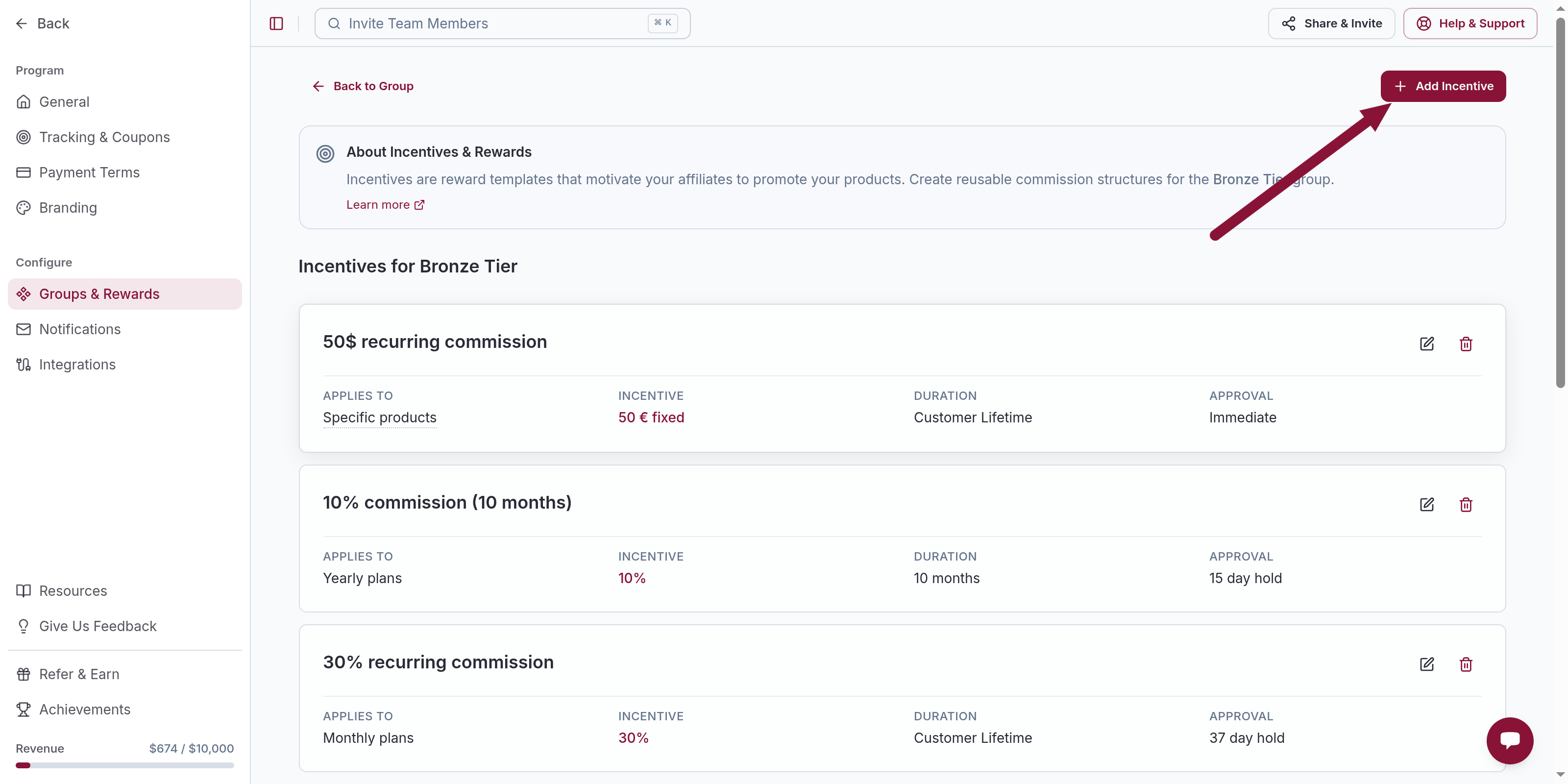
Pick Apply to
Choose one option, then Continue.
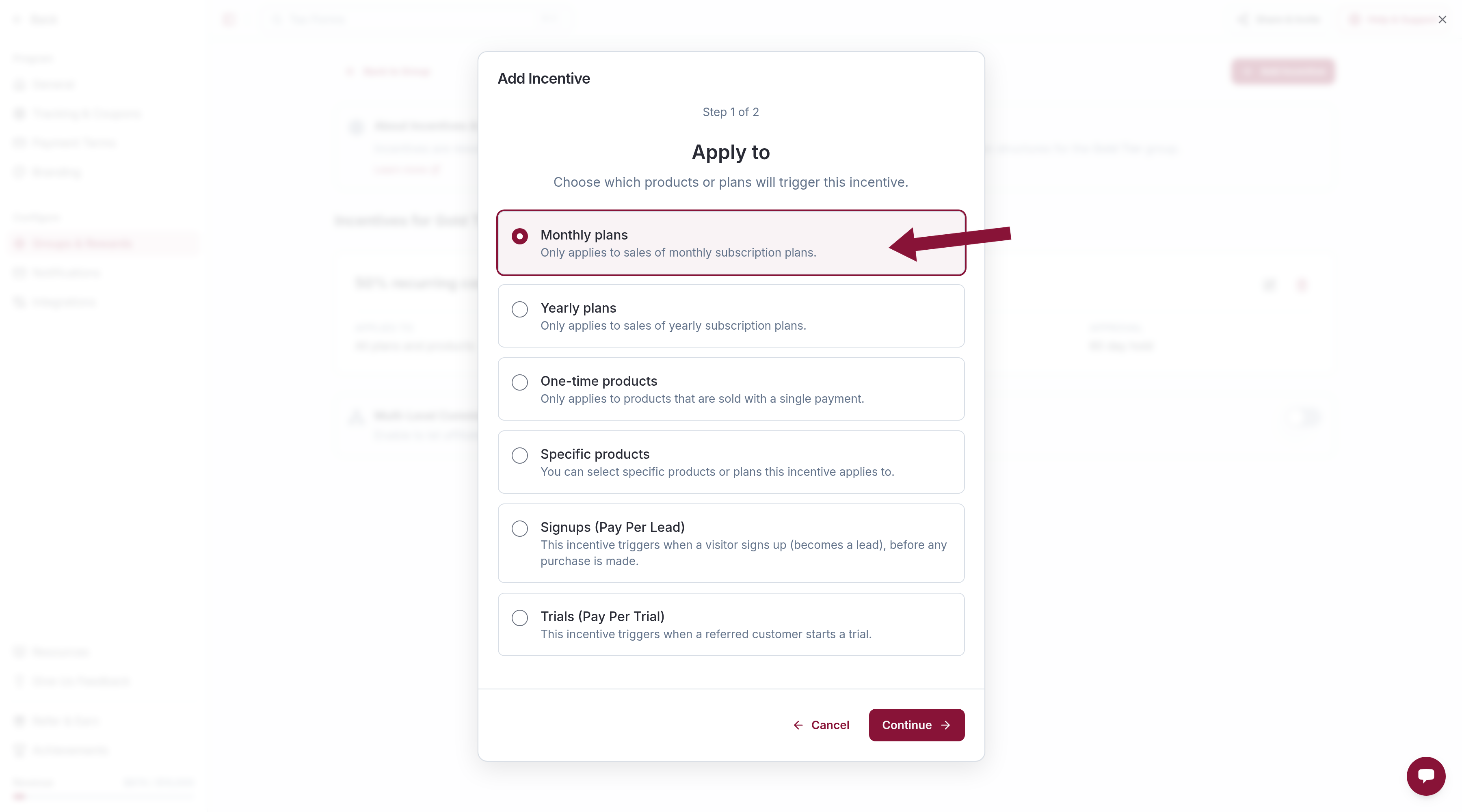
| Option | Use when |
|---|---|
| All plans and products | One rate for every sale. Becomes All other plans and products after Monthly plans, Yearly plans, or One-time products is already on the group. |
| Monthly plans | A different rate for monthly subscriptions. |
| Yearly plans | A higher (or lower) rate for yearly subscriptions. |
| One-time products | One-time purchases, not subscriptions. |
| Specific products | A SKU, price, or plan ID — for example a flagship plan or a product you want to exclude. |
Signups (Pay Per Lead) and Trials (Pay Per Trial) are not sale matches. Set those up on their own pages.
For Specific products, pick Price or Plan IDs
Specific products opens Select Products. Search an existing product or click Create New Product.
On create, Price or Plan ID is the ID from the payment provider (for example price_123). Details is optional. Use Add another price for extra tiers.
Select at least one product, go back, then Continue.
Most specific wins
When more than one sale incentive could match, the first match in this order is used. Nothing else on the group is added on top:
- Specific products
- Yearly plans
- Monthly plans
- One-time products
- All plans and products
Example: Yearly plans at 30% plus All plans and products at 20% → a yearly sale pays 30% only.
A group cannot have two incentives with the same Applies to, except Specific products (each row targets different products).
Common issues
An Apply to option is missing
Cause: That value is already used on this group.
Solution: Edit the existing incentive, or pick a more specific Applies to. Specific products stays available.
Yearly and monthly both seem to match
Cause: Only the more specific plan type wins.
Solution: Put the yearly rate on Yearly plans. Leave monthly on Monthly plans or on All other plans and products.
Related
Was this article helpful?

Ready to grow your business
through partnerships?
Find the right partners, help them promote, and turn their work into measurable revenue.