 Affonso
Set up your first commission
Affiliates earn from incentives on their group, not from a program-wide commission page. One sale incentive on All plans and products covers every matching purchase.
Program setup usually already created a Default Group with that incentive. If Incentives Setup already lists a row, open it to change the rate. Use the steps below when the list is empty.
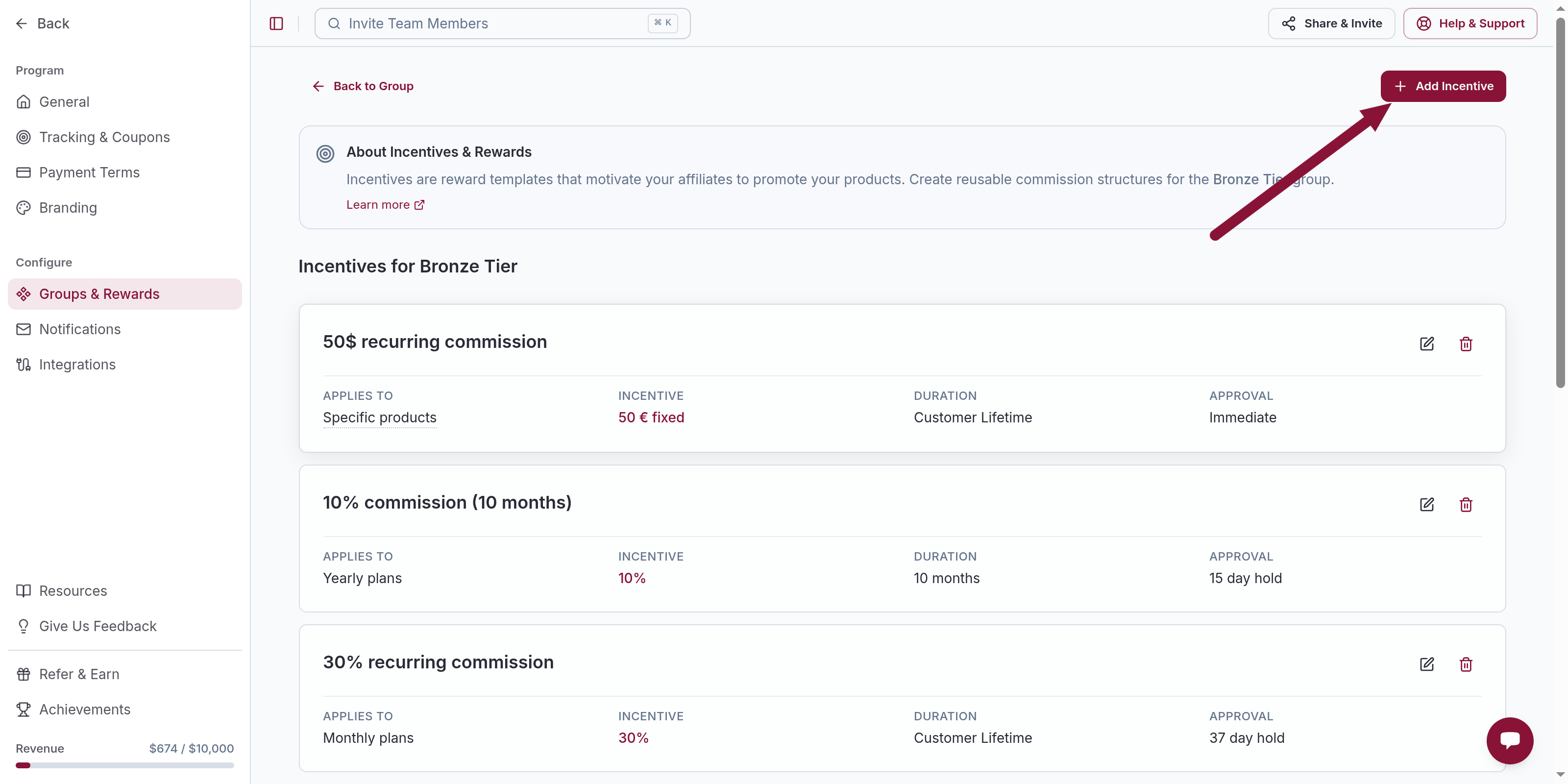
Add Incentive
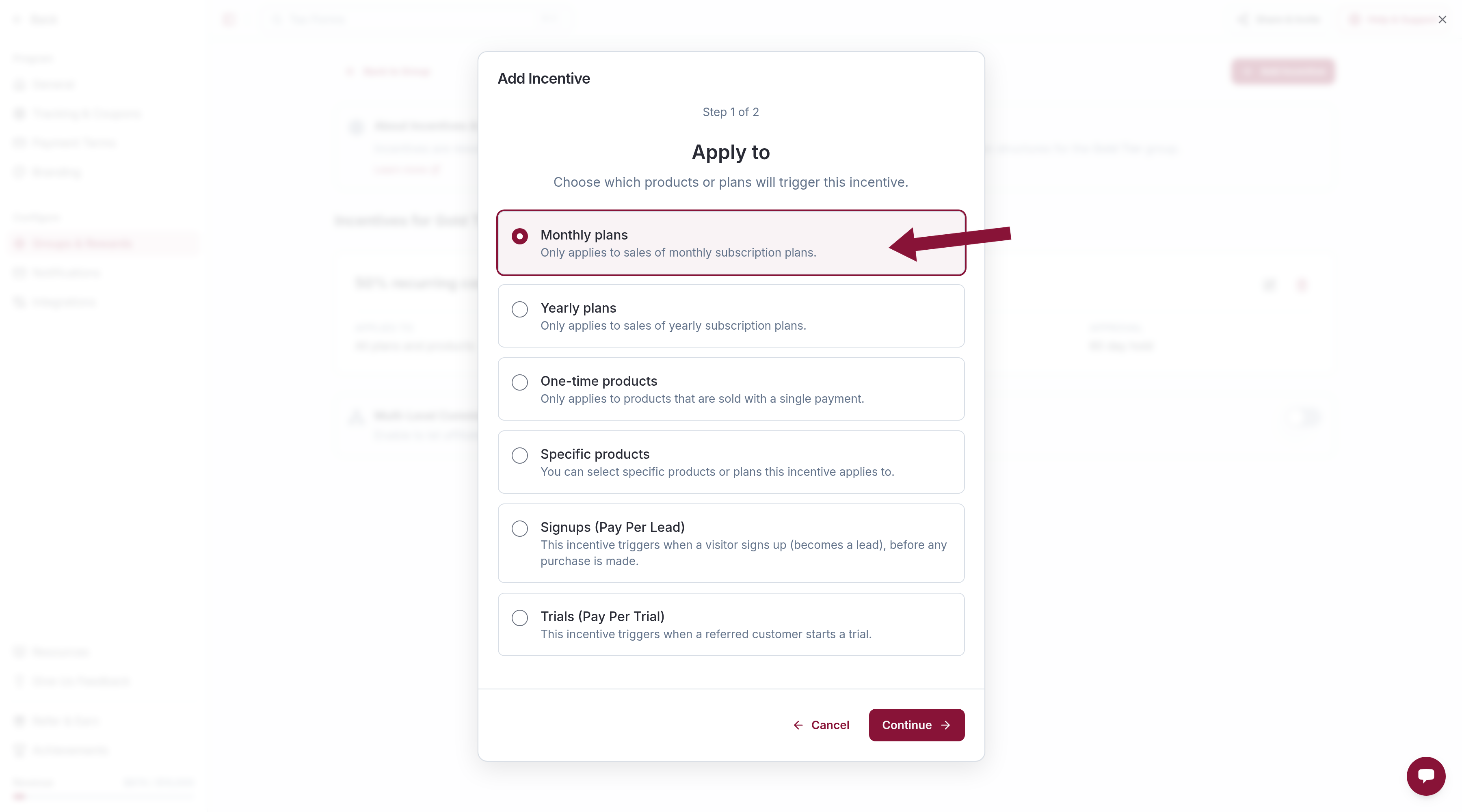
Click Add Incentive. The first wizard step is Apply to. Leave All plans and products selected and click Continue. If that option is missing, this group already has that incentive — open the existing row instead.
Create New Incentive
On Select or Create an Incentive, click Create New Incentive.
Leave the wizard defaults:
- Incentive Type — Percentage
- Commission Rate —
20 - Commission Duration — Lifetime
- Approval Type — Immediate
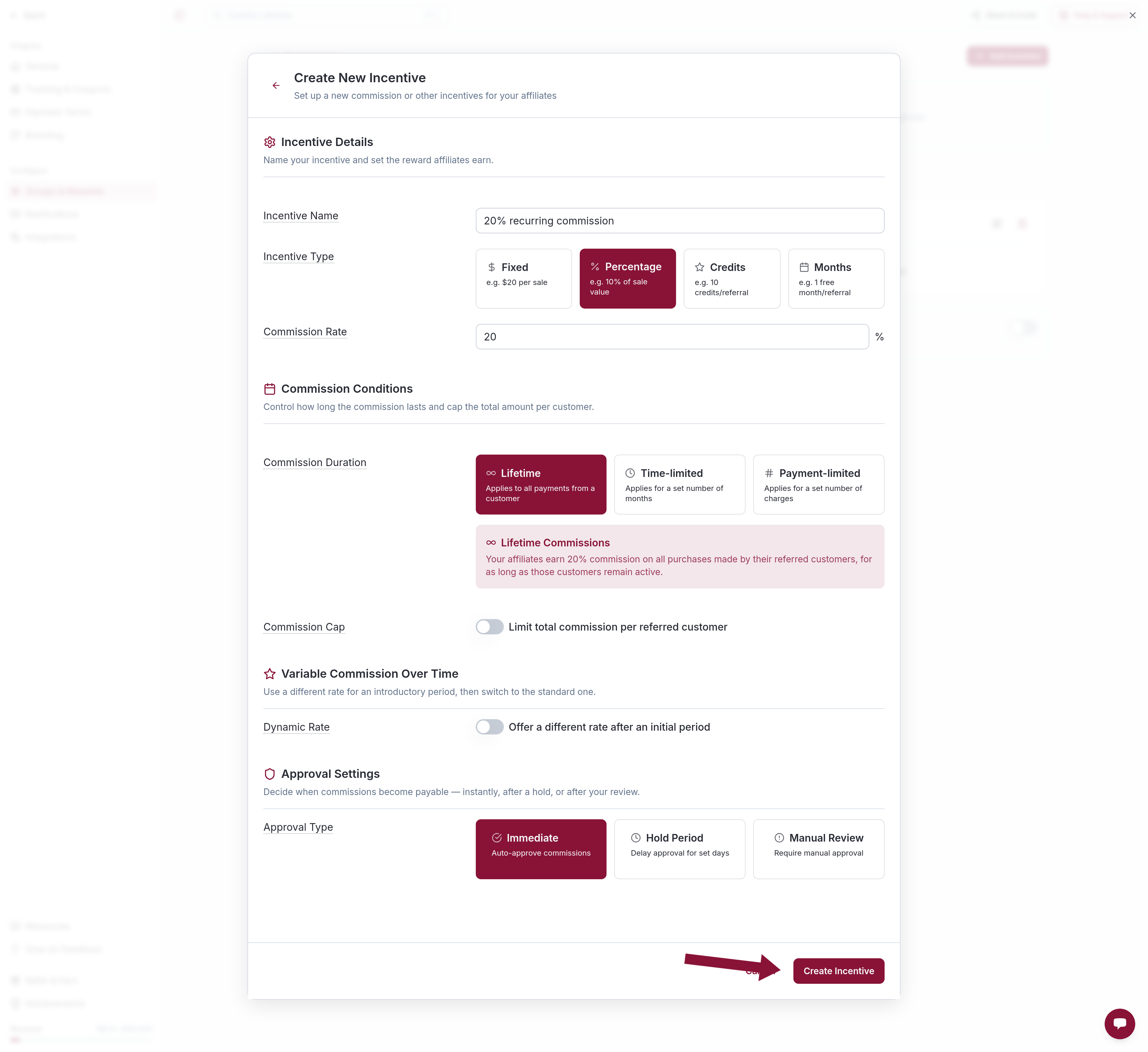
Click Create Incentive.
Add it to the group
The wizard returns to Select or Create an Incentive with the new template selected. Click Add Incentive.
The group now pays 20% on matching sales for the customer's lifetime, approved immediately.
Hold periods, plan-type splits, $0 exclusions, signups, and trials are separate jobs.
Common issues
All plans and products is missing from Apply to
Cause: This group already has an incentive with that Applies to. A group can have only one of each option except Specific products.
Solution: Open the existing row and edit the rate. Add a different Applies to only when you need a split.
No commissions after saving
Cause: The incentive is on the group, but sales are not attributed yet.
Solution: Finish tracking setup and confirm the affiliate is in this group.
Related
Was this article helpful?

Ready to grow your business
through partnerships?
Find the right partners, help them promote, and turn their work into measurable revenue.