 Affonso
Exclude products from commission
Keep the group's default reward. Add a $0 Fixed incentive that targets only the products or plan types you want to skip. The more specific Applies to wins, so everything else still earns the default rate.
Open the group's incentives
Open Groups, click the group, then Incentives Setup.
Add Incentive
Click Add Incentive. Set Applies to to a more specific target than the group default — Specific products, Yearly plans, Monthly plans, or One-time products.
Set Fixed to $0
Choose Fixed as the incentive type. Set Commission Rate to 0.
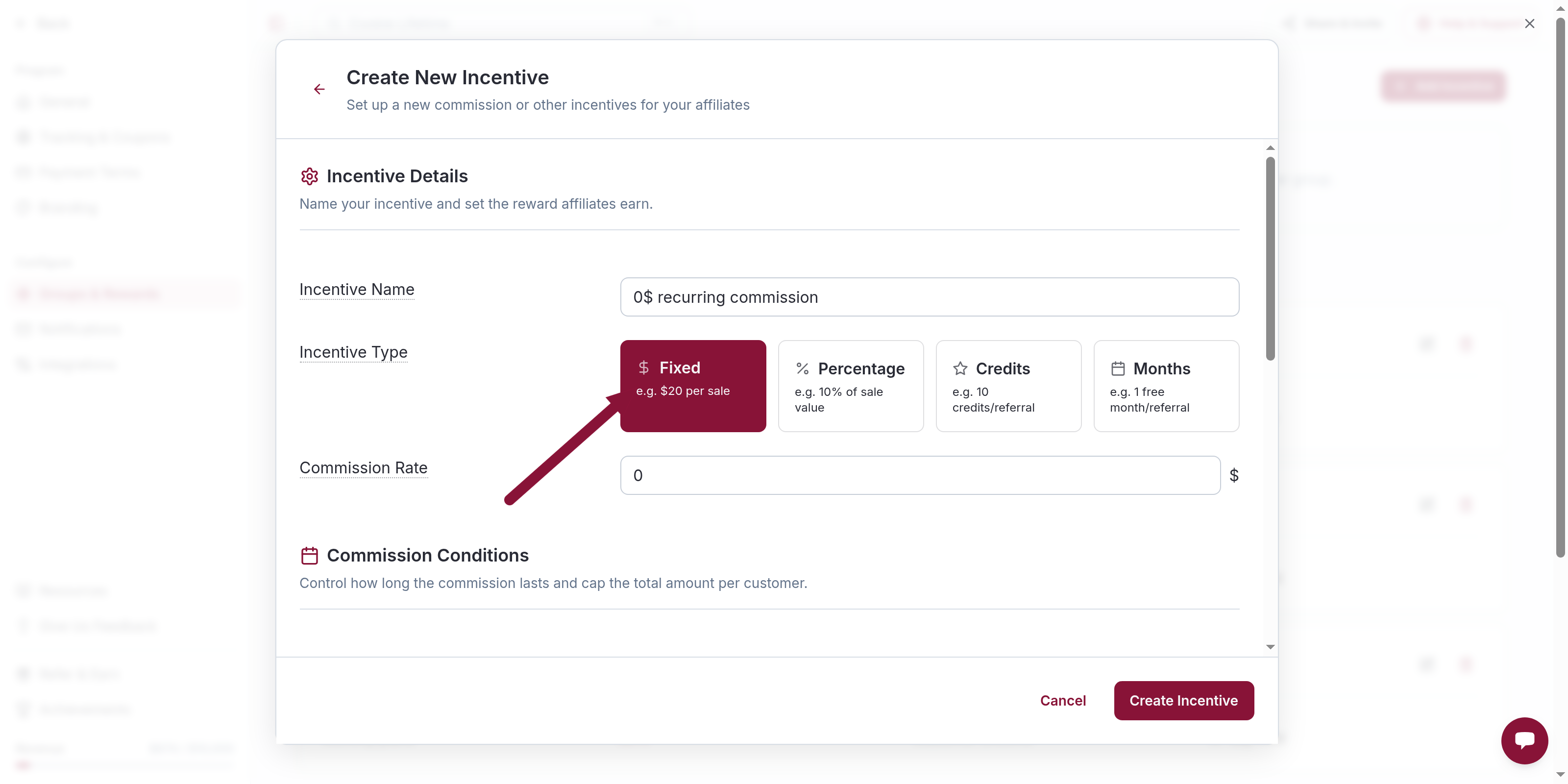
Only Fixed can be 0. Percentage, Credits, and Months must be greater than 0. Save.
Matching sales resolve to a $0 commission. Other products in the group keep the default reward. $0 sales still show in reporting, so you can confirm the exclusion without hiding the sale.
Priority
When more than one incentive could match, the most specific Applies to wins:
- Specific products
- Yearly plans
- Monthly plans
- One-time products
- All plans and products
A $0 incentive at a higher specificity overrides the group default for matching sales only.
Exclude a plan type
Same flow, different Applies to:
- All yearly plans — Fixed
0, Yearly plans - All monthly plans — Fixed
0, Monthly plans - One-time purchases — Fixed
0, One-time products
Exclude Polar metered overages
Polar usage and overage charges are separate products from the base plan. Use the same $0 Fixed setup: Applies to Specific products, and add those Polar meter/overage product IDs as Price or Plan ID. The base plan keeps the group default.
A group whose only incentive is $0 Fixed is tracking-only. Sales still show. Commission is $0.
Exclude for one affiliate
Open that affiliate. Under Custom Incentives, click Add Override and use the same $0 Fixed setup. The override takes precedence over the group's incentives. The rest of the group is unchanged.
Common issues
Cannot set the rate to 0
Cause: The incentive type is not Fixed.
Solution: Switch Incentive Type to Fixed, then enter 0.
Related
Was this article helpful?

Ready to grow your business
through partnerships?
Find the right partners, help them promote, and turn their work into measurable revenue.