 Affonso
Set a first-month rate and a lifetime rate
Pay a higher percentage on the first months after a referred customer's first completed payment, then a lower rate on later invoices. Do this on one Percentage incentive with Dynamic Rate. Affonso picks one matching incentive and stops — it does not fall through from a Payment-limited incentive to a Lifetime one.
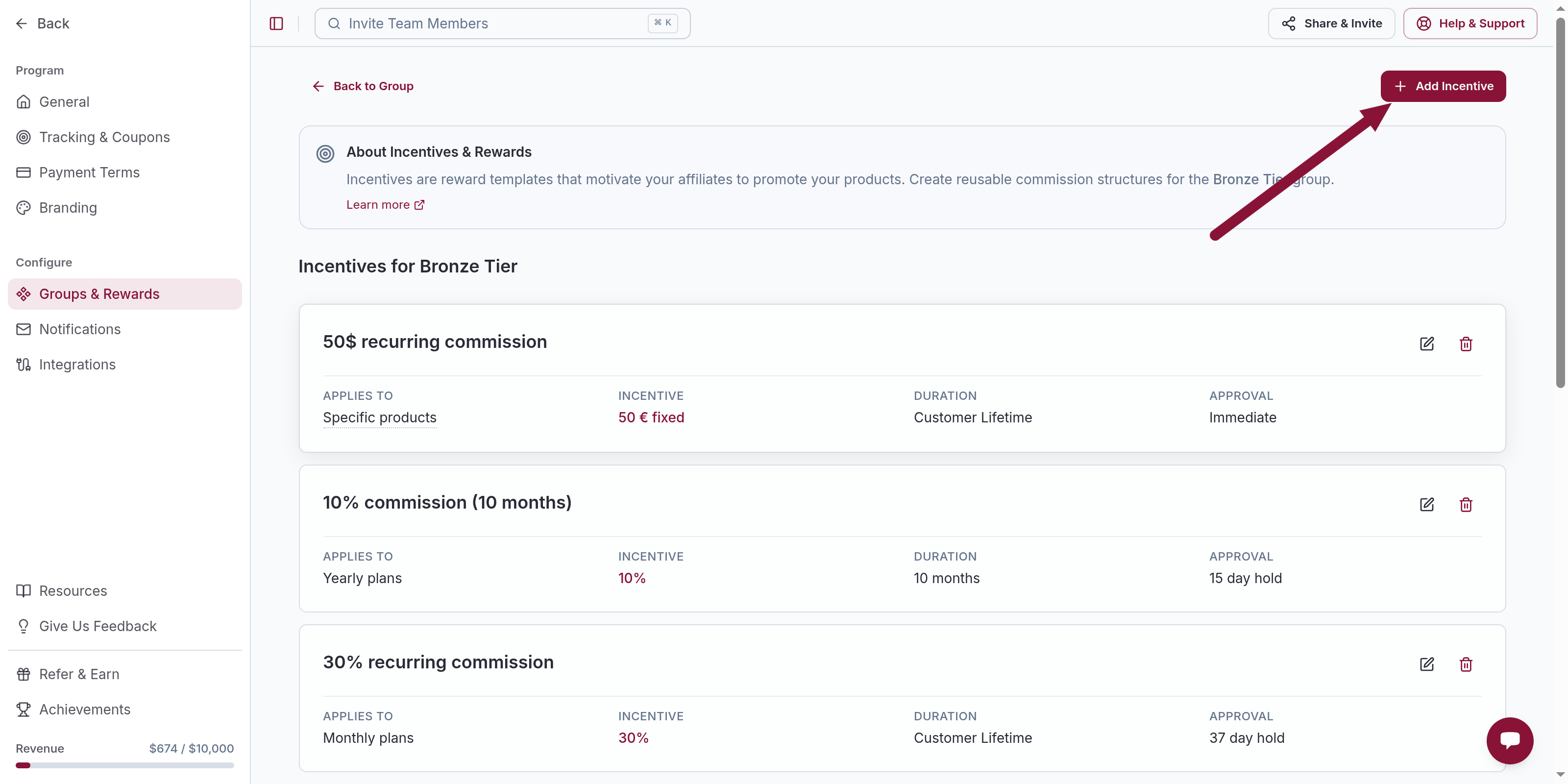
Open a Percentage incentive
Click Add Incentive, or open the existing Percentage incentive for this group. Set Incentive Type to Percentage.
Set the lifetime rate and Lifetime duration
Commission Rate is the rate after the intro window (the lifetime rate). Example: 20.
Under Commission Conditions, set Commission Duration to Lifetime (Applies to all payments from a customer).
Turn on Dynamic Rate
Under Variable Commission Over Time, turn on Dynamic Rate (Offer a different rate after an initial period).
Fill in For the first 1 month(s) the commission is 30 % and 20 % after — use your first-month percentage and the lifetime Commission Rate.
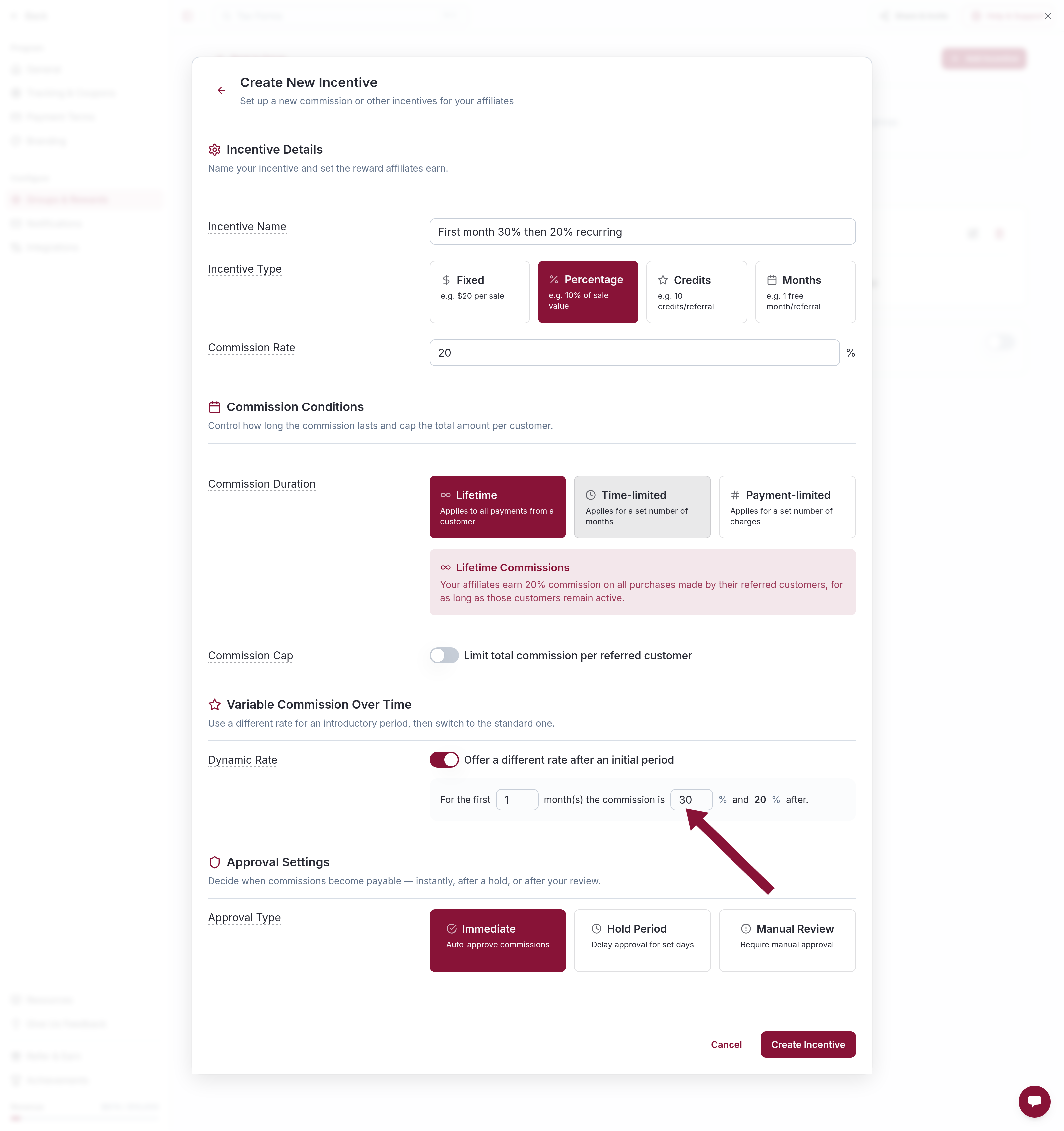
Click Create Incentive or Save Changes.
The first-month window is months from the first completed payment, not a payment count. A 1-month window on a monthly plan covers the first invoice; the renewal a month later uses the lifetime rate. A yearly invoice billed during that window still uses the first-month percentage of that invoice. 25% of a $1,200 yearly invoice is $300, not three monthly equivalents.
Common issues
Later invoices earn $0 after you added a Payment-limited incentive
Cause: Affonso matches Applies to (most specific first) and stops. A Payment-limited incentive that matched does not fall through to a Lifetime one.
Solution: Use one Percentage incentive. Set Commission Duration to Lifetime. Put the intro rate on Dynamic Rate, not on a second incentive.
A yearly invoice paid a huge first-month commission
Cause: Percentage applies to that invoice amount.
Solution: 25% of a $1,200 is $300. If that is too high, lower the first-month percentage or cap the customer — see Cap commission per referred customer.
Dynamic Rate is disabled
Cause: The amount is $0 (exclusion mode).
Solution: Dynamic Rate is for a Percentage (or Fixed) rate greater than 0. To skip commission on a product, use Exclude products from commission.
Related
Was this article helpful?

Ready to grow your business
through partnerships?
Find the right partners, help them promote, and turn their work into measurable revenue.