 Affonso
Partners now receive an email when you approve a campaign submission. It shows the campaign name, reward amount and currency, and confirms the earning is ready for their next payout.
Continue Reading
The email also invites partners to share their work and includes one View more button to the program's Marketplace entry, or its own partner portal when unlisted. Your program name, colors and branding settings apply.
The email is enabled by default. Switch off Campaign submission approved in your program's Email settings to stop it. Earnings and rejection behavior stay the same.
Pay accepted partners a fixed monthly or weekly amount without a submission. Applications are required. There is no campaign budget. You can add a condition per partner and review due periods under Waiting for approval. End one partner without closing the campaign.
Continue Reading
→ Brands: Create campaigns for affiliates. Affiliates: Complete and submit campaigns.
First paid purchase with a personal affiliate coupon now attributes to that affiliate on Stripe, Paddle, Polar, Creem, and Dodo, even when a different affiliate's link was clicked first.
Continue Reading
- New A redeemed personal coupon beats the last affiliate link on the first paid sale
- New Coupon-only checkouts attribute without a cookie or metadata
- Improved After that first paid sale the customer stays put. Later coupons still discount. They do not move the customer or block renewals
- Improved Stripe checkout and charge now use the same coupon, in either event order
Program-wide codes and generic discounts do not take the sale. Clicks, leads, and trials do not lock the customer. Historical bonuses stay with the affiliate who earned them.
→ See first-touch vs last-touch and custom coupon codes.
The New agent wizard is English. Analyze now shows work in progress, fills product and audience when the site gives us enough, and will not continue on an empty brief.
Continue Reading
- Improved Create wizard copy is English. Locale no longer switches it to German or another language
- Improved Website step shows only the URL first, then a spinner and skeleton while Analyze runs
- Improved Product and audience appear after Analyze. Empty results say so. Continue needs both
- Improved Keywords and competitors are one step. You need a topic or a competitor, same as create
- Improved Language is one dropdown with flags. Channel and exclusions talk about targeting and sources, not search
- Improved Auto-approve is off at create. Change it later in agent Settings
Open one agent and see if it is live or paused, what is blocking it, the last searches, and matches that still need a yes or no.
Continue Reading
- New Agent overview with live/paused, a blocker banner, recent runs, undecided matches, and found / accepted / rejected counts
- New Accept or reject a weekly direction from the waiting-for-a-yes banner
- New Tabs on the agent page: Overview, Runs, Prospects, Settings
- Improved Settings are editable. Topics, competitors, language, and exclusions save without re-running the wizard
Know the next paid ask before it opens. Affiliates see the dates on scheduled campaigns, then submit when the campaign goes live.
Continue Reading
- New Upcoming section with Available from / until. Submit when the campaign is live.
- New Open Campaigns show as a card under Your Rewards in the embedded dashboard when the affiliate has an eligible live ask. Empty programs stay clean.
showRewards=falsestill hides rates only; Campaigns stay visible.
→ Affiliates: Complete and submit campaigns. Embed: Embedded Referral Dashboard.
Affiliates
- New Label partners with program tags (VIP, DACH, YouTuber). Create and color them in Manage tags, assign from the Tags column, drawer, or bulk Add/Remove. Filter Partners and Applications by tag, including shareable
?tags=URLs. Tags stay on this program only; they do not change groups, commissions, or access.
- New Give an affiliate a one-off cash bonus from the drawer Earnings tab without creating a sale or referral. Optional note shows as Source on the earning. Ready for the next payout; revenue stays unchanged. Delete before it is in a payout.
Connect your YouTube channel on your Marketplace network profile with Google. Affonso verifies the channel you own. You do not type a URL.
Continue Reading
Marketplace
- New Connect YouTube on your network profile. Google confirms the channel. If the account has more than one channel, pick one to add
- New Recommendation email is on for new profiles and for anyone who never opted out. If you already turned it off, it stays off
- New Delete your Marketplace account from Danger Zone when you want the Partner Network profile gone. Brand portals you opened with that login stop working
Portal
- Fixed Approved Affiliate Accounts see their branded-portal link settings again and can create a self-service coupon in that same portal session
→ Affiliates: Find and join programs in the Marketplace. Delete your Marketplace account. Use your affiliate link. Create and use a coupon code.
Sign up once, keep one profile and login, then apply to many programs with that same account. Matching already suggests brands that fit your profile.
Continue Reading
- New Create one Partner Network account and reuse it across listed programs
- New Keep one profile. Apply with it, then open each brand's own portal from the same place
- Improved See programs that already look like a fit for what you promote
- Improved Brands still review private applications in their own portal. Public programs let you in right away
→ Affiliates: Find and join programs in the Marketplace. → Brands: List your program in the Marketplace.
Give every teammate the right access. Six default roles, custom roles you build yourself, and pages that stay hidden when a permission is missing.
Continue Reading
Team
- New Per-team roles with a fixed permission catalog. Defaults: Superadmin, Admin, Affiliate Manager, Developer, Finance, and Viewer. Create custom roles under Settings → Team → Roles. Invites assign a role. Missing a permission hides the page and the API denies the action.
→ See how to invite team members.
Coupons
Stripe affiliate coupons can now be limited to new customers and given a redemption expiry.
- New Optional New customers only rule on Stripe-created affiliate promotion codes
- New Self-service blueprints can expire new codes 1–60 months after creation
- New Manual coupon assignment can set a calendar redemption date (redeemable through the end of that day in UTC)
- New Affiliates see those Stripe conditions next to their coupon in the portal
- Fixed Free ($0) checkouts no longer use up first-sale or time-limited commission slots, so the next paid sale still earns normally
These rules apply only to Stripe. Other payment providers create the same code without them. Existing codes stay as they were when created.
→ See how to set custom coupon codes for affiliates.
Completed payments now open the same payout drawer as pending, and you can generate a missing self-billing PDF after the fact without changing what was already paid.
Continue Reading
- New Generate & save a self-billing invoice on an already-completed payout when self-billing is on and no PDF was stored
- Fixed Click a completed payment row to open payout details with Generate & save, Download, and Preview
- Improved Completed payments no longer show a separate Invoice column or purple invoice pills; invoice actions live in the payout drawer
- Fixed Deleting your last affiliate program now cancels Affonso Stripe billing when the program is actually removed, so you are not charged for an account that no longer exists. Other programs keep billing active.
See Automated Partner Invoicing with Self-Billing and Delete an affiliate program.
Let partners view recent payouts and add or update their payout method inside your embedded dashboard, without leaving your app.
Continue Reading
Embed
- New Opt-in Payout tab on the embedded affiliate dashboard (off by default). Turn on Partners can enter payout information in Appearance → Embed so partners can list recent payouts and save their payout method in your product.
→ See Embedded Referral Dashboard.
Account
- Improved Deleting an affiliate program now schedules a 14-day grace period instead of wiping it immediately. Cancel anytime before that date. Tracking, portal, payouts, and billing keep working until deletion runs.
→ See Delete an affiliate program.
Affiliate Finder
- New Click the credits chip on Discovery to open Credit usage instead of Billing
- New Filter the current period by All, Discovery, or Email, with Used and Refunded status
- Improved Failed Finder searches that never start refund automatically and show on the same page
→ See Discovery Credits.
Tracking
- Fixed Stripe 100% coupon purchases now convert as customers with €0 commission, not Trialing. Genuine Stripe trials stay Trialing.
See every stored attribution value for a referred customer in the referral drawer, without leaving Partners.
Continue Reading
- New Open a referral under Partners → Referrals and find Attribution under Customer Details (IP, referrer, UTMs, click IDs, sub1–sub5, and ad parameters)
- New Empty values stay hidden, with a compact empty state when nothing was stored
- Improved Hover tooltips and one-click copy on each attribution value
→ See how to read attribution for a referred customer.
You only spend an email credit when Find Email returns an address. Misses and failed lookups refund the credit.
Continue Reading
Affiliate Finder
- Improved Find Email charges only when an address is found. Misses and failed lookups refund the credit
- Improved Rows show No email found after a miss
- Fixed Find Email no longer sticks on Finding, and it stays hidden on social opportunities
Embed
- New Hide Settings controls in the embedded affiliate portal
Payouts
- Improved Managed invoices skip affiliates who have no payment method
Affiliates
- Improved Show the affiliate email when the name is missing, in activity and referral emails and on sales, referrals, dashboards, and payments
Marketplace
- Fixed Marketplace listings stay live while a qualifying plan remains
Bring important affiliate-program activity straight into your Discord server.
Continue Reading
- New Send selected affiliate, referral, commission, payout, and coupon events to Discord
- New Choose a Discord-friendly format for each webhook endpoint while keeping raw JSON available
- Improved See the key details of each event at a glance without parsing webhook payloads
→ Learn how to set up Discord notifications.
Bring important affiliate-program activity straight into your Slack workspace.
Continue Reading
- New Send selected affiliate, referral, commission, payout, and coupon events to Slack
- New Choose a Slack-friendly format for each webhook endpoint while keeping raw JSON available
- Improved See the key details of each event at a glance without parsing webhook payloads
→ Learn how to set up Slack notifications.
Turn your program profile into a polished Marketplace description without starting from a blank page.
Continue Reading
- New Generate a Marketplace description from your product, audience, and program details
- Improved Edit the generated description before publishing it to your Marketplace listing
- Fixed Keep Marketplace access and team invitations more reliable in edge cases
Give Marketplace the context it needs to present your program to affiliates who are more likely to be a good match.
Continue Reading
- New Describe your audience, value proposition, proof, and market in a richer Marketplace profile
- Improved Surface Marketplace opportunities that better match an affiliate's interests and audience
Set the payment expectations that suit your program and make them easy for affiliates to find.
Continue Reading
- New Add your own payment terms to an affiliate program
- Improved Let affiliates open program-specific payment terms from their portal help
Affiliates get a simpler place to manage their account, payouts, and integrations as their partnership grows.
Continue Reading
- Improved Manage profile details, payout setup, and postbacks from a redesigned account hub
- Improved See account identity and payout setup status more clearly throughout the portal
Finding programs is clearer, while private-program resources stay protected until an affiliate is approved.
Continue Reading
- Improved Browse a redesigned Marketplace with clearer program details and easier discovery
- Improved Keep private-program links, assets, coupons, and data locked until approval
You now have precise control over the customer information shown to affiliates in their portal and embedded dashboard.
Continue Reading
- New Choose whether affiliates see a customer's name, email, both, or neither
- New Apply the same customer-information rules to your embedded affiliate dashboard
- Improved Keep referral and payout views aligned with your privacy preference
Review affiliate tax documents in one place and keep payouts compliant before money leaves your program.
Continue Reading
- New Review and approve submitted W-9 and W-8BEN tax forms from a dedicated workspace
- New See which payouts are waiting on a required tax form
- Improved Keep approved tax forms and payout records securely available for review
Payout administration now provides clearer invoice information and more flexibility when reviewing manually submitted leads.
Continue Reading
- New Generate self-billing invoices for US-based affiliate payouts
- Improved See VAT amounts clearly broken down in payout history
- Improved Approve a previously declined submitted lead when new information supports it
Give affiliates the right destination for every promotion without maintaining the same URLs in several places.
Continue Reading
- New Manage promotion landing pages once and use them across products, groups, and affiliate links
- Improved Keep affiliate links, QR codes, creatives, and coupons aligned with each promotion's destination
Keep affiliates informed about what is new in your product from the Success Hub they already use. You can publish updates yourself or sync them from Featurebase, then choose exactly when the Product updates section is visible.
Continue Reading
- New Create, edit, publish, and remove product updates from Success Hub, with images, categories, and publication dates
- New Show or hide Product updates in your affiliate hub without deleting your update library
- New Connect Featurebase to import published changelogs from the last three months automatically
- Improved New Featurebase updates are synced to the affiliate hub as they are published and link back to the original announcement
The new Integrations hub makes it easier to connect Affonso with the tools your team already uses. Payment providers, tracking, APIs, apps, and AI workflows are now organized in one place with clear setup states.
Continue Reading
- Improved See payment, tracking, developer, AI, and app integrations in a single organized hub
- New Connect Affonso to AI tools including Claude, Codex, Cursor, Gemini, VS Code Copilot, and more through guided MCP or API setup
- Improved Check whether a payment provider or integration is connected before you continue setup
- New Request missing integrations directly from the hub
Moving an affiliate program to Affonso is now clearer from the start. The Migration area shows the data each platform can bring over, provides guides where available, and makes it easy to ask for help with an unsupported platform.
Continue Reading
- Improved Compare migration paths for FirstPromoter, Rewardful, Tolt, PartnerStack, Dub, Trackdesk, impact.com, Reditus, Cello, Partnero, Refersion, and Tapfiliate
- New Open migration guides or contact support directly from the platform you are moving from
- Improved Tolt imports now handle partner data and tracking IDs more reliably
- Improved Receive a clearer summary once a Tolt migration completes
Getting help inside Affonso is now more direct. The refreshed Help panel brings guides, product updates, feedback, and personal support into one place without taking you away from your work.
Continue Reading
- New Search Help Center articles and browse setup, integration, commission, and payout guidance directly in the app
- New Request features, report bugs, start a support chat, or book a call from the Help panel
- Improved Open relevant help articles from across the product while keeping your current workflow in context
- Improved Find recent Affonso product updates alongside support resources
Affiliate program operators can now give partners one central place with the guidance, rules, and assets they need to succeed. This first Success Hub release lays the foundation by centralizing the core program resources in one experience, with more capabilities coming soon.
Continue Reading
- New Launch a dedicated affiliate-facing Success Hub with promotion links, program guidance, rewards context, allowed marketing methods, and a creative library in one view
- New Manage that experience from
/app/success-hub, including your program description, allowed marketing methods, and ready-to-use creative assets - Improved Centralize previously separate creatives and restrictions workflows so affiliate enablement lives in one place
- Improved Preview the affiliate-facing hub directly from the admin view before sending partners into the portal
You can now tailor self-service affiliate coupon settings by affiliate group while keeping a program-wide default for everyone else. This makes it easier to run different discount setups for different partner segments without manually creating every coupon yourself.
Continue Reading
- New Create one program-wide self-service coupon blueprint plus separate blueprints for specific affiliate groups
- New Affiliates now create coupons from the blueprint that applies to their current group, with an automatic fallback to the active program-wide blueprint when no group-specific one applies
- New The
Affiliate Program -> Trackingpage now lists all coupon blueprints in one place, including the target group, active or paused status, and a discount summary - New Portal, onboarding, and embed flows now use the same affiliate-aware blueprint resolution across the product
- New Existing self-service coupons stay unchanged if an affiliate later moves to another group; only future coupon creation uses the newly applicable blueprint
Self-service coupon blueprints are available on Growth plans and above.
→ Full setup guide at Custom Coupon Codes for Affiliates
Affiliates can now submit customers that came in outside tracked links or coupon codes, and your team can review each submission before attributing it. This gives you a cleaner workflow for partner-led deals that still need manual confirmation.
Continue Reading
- New Enable a Submitted referrals flow where affiliates can send customer names and emails directly from the portal
- New Review pending submissions in a dedicated Submitted tab and approve or decline them from one place
- Improved Affonso blocks approvals when the customer is already attributed to another referral, reducing duplicate or conflicting manual attributions
- Improved Teams can now also end trials early from billing instead of waiting for the scheduled trial end date
→ Full setup guide at Submitted Referrals
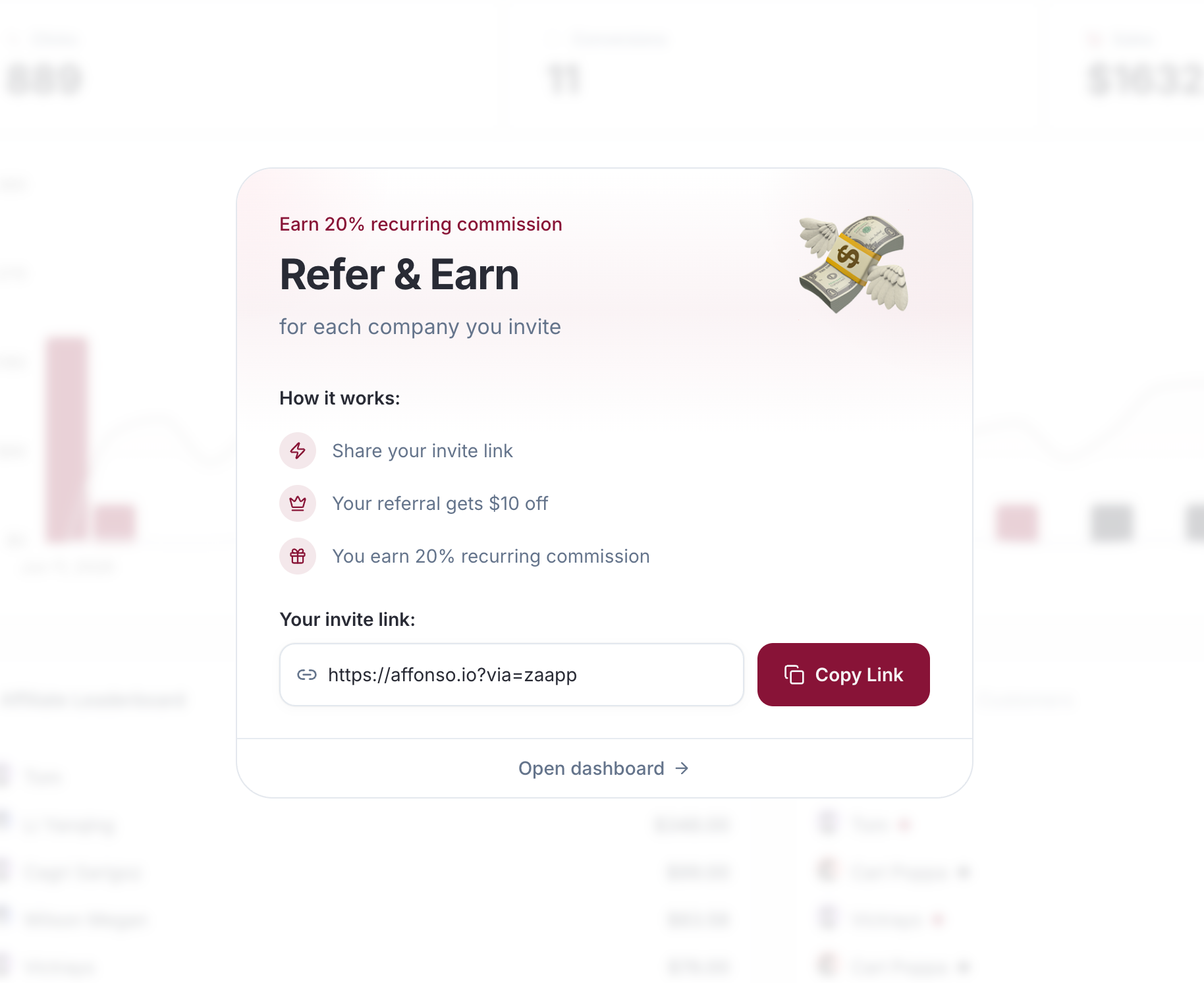
Several referral-facing workflows got more flexible today. You can now surface sharing directly inside your product, add more context to embedded dashboards, and require explicit agreements during affiliate onboarding.
Continue Reading
- New Show a compact referral modal with the user's invite link and a built-in copy action
- New Keep a secondary path to the full referral dashboard for users who want deeper stats or payout details
- New Show an optional description card directly inside the embedded referral dashboard
- New Add checkbox-based agreement questions to custom affiliate onboarding forms
- Improved Review and filter checkbox answers alongside the rest of each affiliate's onboarding responses
- Improved Give affiliates clearer context and requirements without forcing extra custom UI around the embed or onboarding flow
→ Full setup guide at Build a Custom Referral Modal in Your App
You can now enrich affiliate landing URLs with your own query parameters while keeping the shared referral link format unchanged.
Continue Reading
- New Append your own query parameters to landing URLs after Affonso resolves a referral click
- New Mix fixed values with macros like
{tracking_id},{affiliate_id},{program_slug}, and{affonso_id}to match your analytics or CRM schema - Improved Keep the same affiliate link format while enriching destination URLs for GA, PostHog, internal BI, and other attribution tooling
→ Full setup guide at Program Tracking Templates
Referral timelines now show more of what actually happened behind the scenes when native payment provider events are processed.
Continue Reading
- New Referral Activity now logs native provider events from Stripe, Paddle, Polar, Creem, and Dodo
- New Trial starts, conversions, refunds, subscription changes, and commission creation now show up directly on the referral timeline
- Improved Teams get a clearer audit trail for attribution decisions without stitching together separate webhook logs
Affonso now delivers a more natural affiliate experience in right-to-left markets without requiring a separate portal setup.
Continue Reading
- New The affiliate portal and embedded referral dashboard now render properly in right-to-left languages like Hebrew and Arabic
- Improved Navigation, tables, labels, badges, and tooltips mirror automatically based on the active locale
- Improved Teams can offer a more natural affiliate experience in RTL markets without maintaining a separate portal variant
If Segment is already your event hub, you can now forward affiliate-relevant backend events into Affonso with a dedicated integration path.
Continue Reading
- New Dedicated Segment endpoint: send backend
trackevents toPOST /v1/sources/segment/events - New Affonso can normalize Segment events into conversions, leads, trials, and milestones
- Improved If Segment is already your event hub, you can connect it to Affonso without building a separate event-mapping service
- Improved Uses Segment
messageIdfor safer retry handling and cleaner idempotency
→ Full setup guide at Segment Track Events
Your backend can now send both revenue and non-revenue affiliate events to Affonso through one normalized API surface.
Continue Reading
- New Send conversions, leads, trials, and milestones through one normalized endpoint:
POST /v1/events - New Track affiliate-relevant backend events like
trial_started,qualified_lead,demo_booked,kyc_passed, oractivation_completed - Improved Use one ingestion surface for both revenue and non-revenue attribution instead of stitching together separate custom flows
→ Full setup guide at Server-Side Event Tracking
You can now track affiliate conversions even when your billing stack is not one of Affonso's native integrations.
Continue Reading
- New Send conversions to Affonso from your own backend with
POST /v1/conversions - New Let Affonso calculate commissions automatically for payment providers beyond the native integrations
- New Mirror refunds and reversals through the API, including partial refunds, using the returned conversion ID
- Improved Gives teams a clean path for providers like PayPal, Razorpay, Lemon Squeezy, Chargebee, Xendit, or custom billing stacks
→ Full setup guide at Custom Backend Payment Provider Integration
The affiliate dashboard and embedded referral dashboard now support Hebrew and Czech.
Continue Reading
That means affiliates can switch to:
- Hebrew (
he) for portal login, dashboard flows, embed copy, and affiliate-facing emails - Czech (
cs) for the same core affiliate experience
We kept the rollout focused on the parts affiliates actually touch most:
- Portal login and onboarding copy
- Referral, sales, payout, and reward views
- Embedded dashboard labels and actions
- Affiliate-facing email subjects and body copy
Anything not explicitly translated yet falls back cleanly to English, so teams can enable both languages immediately without waiting for a full-site localization pass.
- New Reward affiliates the moment a referred user starts a free trial — independent of later conversion
Continue Reading
- New Fixed-amount payout per trial, stacks on top of the regular sale commission when the user upgrades
- New Works natively with Stripe, Paddle, and Creem trials
→ Full setup guide at Pay Per Trial
- New Set a maximum commission ceiling per referred customer on any commission incentive
Continue Reading
- New Cap aggregates across recurring subscriptions, upgrades, and one-off charges
- New Enforced per affiliate + customer pair — other affiliates and customers are unaffected
- Improved Group incentive cards show a "Capped at X per customer" label under the commission amount
- Improved Affiliate portal displays the cap on hover alongside duration and approval rules
- Improved Audit log records who set or changed a cap, and when
→ Full setup guide at Cap commission per referred customer
- New Pay affiliates in USDT across ERC20, TRC20, BEP20, and SOL
Continue Reading
- New Affiliates pick their network when adding a USDT wallet
- Improved Wallet addresses are validated against the selected network to prevent cross-chain mistakes
- Improved Network is now shown next to the wallet address in the open payouts table, payment drawer, and admin auto-payouts
We've replaced our old feedback widget with Fernand — a proper live chat so you can reach us instantly from anywhere in the app.
Continue Reading
We've also made Affonso ready for the age of AI agents:
- New Live chat support available directly inside the dashboard
- New AI agent discovery endpoints — agents can now find and understand your affiliate program
- New OAuth discovery and WebMCP support for agent-to-agent integrations
- New Markdown content negotiation for AI-friendly responses
The dashboard analytics are now faster and more reliable, and we've added better fraud monitoring across the platform.
Continue Reading
- Improved Dashboard analytics cached and optimized — charts and stats load up to 3x faster
- Improved Fraud detection now logs all checks for full transparency and auditability
- Fixed Portal form data no longer lost when switching between tabs
- Fixed VAT validation re-triggers automatically when you change your country
- Fixed Creative library displays correctly in the affiliate portal
- Fixed Dashboard 12-month date range no longer causes errors
We've made Affonso significantly faster across the board.
Continue Reading
This update includes performance improvements to nearly every part of the app — from the dashboard to individual affiliate and referral pages.
- Improved Dashboard, affiliates, referrals, and sales pages all load noticeably faster
- Improved Loading skeletons added so you see instant feedback while data loads
- Improved Database queries optimized
Moving away from FirstPromoter? Affonso now supports a full migration of your affiliate data.
Continue Reading
- New Import affiliates, campaigns, rewards, and contacts from FirstPromoter
- New Campaign-to-group mapping preserves your existing structure
- New Reward rules are automatically converted to Affonso incentives
Dangerous actions now require you to type a confirmation before proceeding.
Continue Reading
- Fixed Affiliate referral counts now include all converted referrals, not just trialing customers
- Fixed Stripe currency handling corrected for TWD, HUF, and ISK
Switching from Tolt? We've built a dedicated migration flow that imports your affiliates, referrals, and commissions — right from your Affonso settings.
Continue Reading
We also added new tools for managing your program:
- New One-click Tolt migration with real-time progress tracking
- New Reset Program Data action in the danger zone to start fresh
- Improved Toggle switches replaced with clearer button groups across program settings
- Improved Help center articles updated with better navigation
Control exactly who can join your affiliate program with the new Access Modes.
Continue Reading
Replace the old auto-approve toggle with three clear options:
- Public — Anyone can sign up and is automatically approved
- Private — Anyone can apply, but you approve each affiliate manually
- Invite-Only — Only affiliates you explicitly invite can join
We also made several portal improvements:
- New Three access modes for granular program enrollment control
- Improved Disabled affiliate links are now hidden in the portal instead of shown as inactive
- Improved Onboarding adapts automatically when affiliate links are disabled
- Fixed Missing European countries added to the invoice address dropdown
- Fixed Notification labels corrected and translated to English
Coupons now work seamlessly across all your connected payment providers.
Continue Reading
If you use multiple payment processors (Stripe, Creem, Polar, Dodo, Paddle), you can now create a single coupon that maps to the correct code on each provider. No more managing separate coupons per platform.
- New Link one affiliate coupon to multiple payment providers at once
- New Affiliates are redirected back to their original page after portal login
- Improved Marketing pages load faster with reduced client-side JavaScript
- Improved SEO improvements across all marketing pages
You can now disconnect your Stripe account directly from the settings page — no support ticket needed.
Continue Reading
- New Disconnect Stripe from your program settings at any time
- New Paddle added to the payment provider setup guide
- Fixed Variable commission rates now display correctly in the affiliate portal
Find your affiliates' contact emails directly inside Affonso.
Continue Reading
The new Email Finder lets you discover email addresses for your affiliate prospects — powered by a credit-based system so you only pay for what you use.
- New Find affiliate emails with one click from the discovery or affiliate list
- New Bulk email lookups for processing multiple affiliates at once
- New SDK and CLI now available in pricing plans
You can now manage your entire affiliate program through the API.
Continue Reading
This release introduces endpoints for all core program settings, including program info, payment terms, tracking settings, restrictions, groups, creatives, notification settings, portal configuration, and fraud rules.
All endpoints support both read and update operations, giving you full control over your setup without needing to use the dashboard.
This also unlocks the ability to integrate affiliate program management directly into your own admin interface and automate changes programmatically.
Check out the full API documentation for details on all available endpoints.
Affiliates can now have more than one coupon code — giving you and your partners much more flexibility with promotions.
Continue Reading
Why This Matters
Until now, each affiliate was limited to a single coupon code. That made it hard to run seasonal promotions, A/B test different discount strategies, or offer product-specific codes alongside a general one.
Now affiliates can hold multiple coupon codes simultaneously, each with its own discount settings.
What's New
- Multiple Codes Per Affiliate: Assign as many coupon codes as needed — no more one-code limit
- Independent Settings: Each code can have its own discount type, value, duration, and product restrictions
- Full Provider Support: Works across Stripe, Paddle, Polar, Dodo Payments, and Creem
Affiliates can now set up postback URLs directly from their portal — no code, no complex webhook setup. Just a URL with placeholders that gets called via GET when events happen.
Continue Reading
What's included:
- 4 event types:
referral.lead,referral.converted,sale.created,commission.created - Dynamic placeholders: Insert
{commission_amount},{tracking_id},{sale_amount}, and more into your URL — they get replaced with real values at fire time - Instant testing: Hit "Send Test" on any saved postback to verify it works before going live
- Up to 5 URLs per affiliate: Each with its own event triggers
Perfect for:
- Custom tracking systems and spreadsheets
- Zapier/Make/n8n webhooks for automations
- Affiliates who want real-time notifications without polling
Setup takes 30 seconds: Settings → Postback in the affiliate portal.
→ Full documentation at Postback URLs
Track referrals by your internal user ID instead of email — and control exactly what personal data Affonso stores.
Continue Reading
External User ID
Affonso.signup() now accepts an options object with externalUserId, email, and name. You no longer need to pass an email address to track leads.
// Track by internal user ID — no email required
window.Affonso.signup({
  externalUserId: 'usr_abc123'
});

// Or combine with email and name
window.Affonso.signup({
  email: 'user@example.com',
  externalUserId: 'usr_abc123',
  name: 'Jane Doe'
});
Pass the same ID as userId in your payment provider's metadata so webhook events automatically match back to referrals. Works with Stripe, Polar, Creem, Dodo, and Paddle.
The classic email-only format still works exactly as before — no changes needed for existing integrations.
Privacy Controls
New toggles in your affiliate program settings let you control what data is stored:
- Email tracking — Disable to stop storing customer email addresses on referrals
- Name tracking — Disable to stop storing customer names on referrals
When email tracking is disabled, referrals are matched using externalUserId instead. Ideal for privacy-conscious setups or strict data protection requirements.
Find these settings in Affiliate Program → Privacy Controls.
Learn More
- Signup & Lead Tracking Guide — Full documentation with framework examples and best practices
Your affiliates can now earn commissions from the sales of affiliates they recruit — up to 3 levels deep.
Continue Reading
Why Multi-Level
Growing an affiliate program is hard when only you can recruit. Multi-level commissions turn your existing affiliates into recruiters. They share a recruitment link, new affiliates sign up under them, and every sale in the chain earns commissions upward. Your program grows organically without extra effort from your team.
How It Works
Configure multi-level rates per group in Groups & Rewards. Two calculation modes:
- % of Commission: Parent earns a percentage of their sub-affiliate's commission. Commissions naturally decrease at each level.
- % of Sale: Parent earns a percentage of the original sale amount. Every level earns the same.
Real scenario: You set 10% on Level 1. Your affiliate Sarah recruits Tom. When Tom closes a $500 sale and earns $50 commission, Sarah automatically earns $5. No manual work, no spreadsheets.
What Affiliates See
Affiliates with multi-level enabled see a new Sub-Affiliates tab in their portal with:
- A recruitment link to share
- List of recruited sub-affiliates with their sales activity
- Multi-level earnings history and stats
Admin Controls
- Set rates per group with per-affiliate overrides for special partners
- Manually assign parent-child relationships from the admin dashboard
- Refunds automatically cascade — full refunds set ML earnings to refunded, partial refunds reduce them proportionally
Available now on Growth, Elite, and Advanced plans.
Check the help article for detailed setup instructions.
Reward affiliates for signups, not just sales. Add a fixed bonus per lead on top of your regular commissions — so affiliates stay motivated even when conversions take time.
Continue Reading
Why Add CPL
Products with free trials or longer sales cycles can frustrate affiliates. They bring traffic, users sign up, but commissions only come weeks later when someone finally upgrades. CPL bridges that gap: affiliates see earnings immediately, you get more volume at the top of your funnel.
How It Works
Create an incentive with "Signups (Pay Per Lead)" as trigger. Set a fixed amount — $1, $5, whatever fits your margins. Affiliates earn that bonus for every signup, plus their normal commission when the sale happens later. No extra integration. If you're already tracking signups, CPL works automatically.
Setup
Groups → Incentives → Add Incentive 2. Select "Signups (Pay Per Lead) 3. Set amount per lead 4. Assign to a group
Invite your team to manage your affiliate program together — with the right access levels for each person.
Continue Reading
Add Team Members in Seconds
Go to Settings → Team Members and invite colleagues by email. They'll get access to help manage affiliates, review payouts, or handle support — whatever you need.
Smoother Onboarding
We've also improved the experience when new team members accept invitations:
- Clearer next steps so people know exactly where to go
- Better validation that catches errors before they cause problems
- Faster setup to get everyone productive quickly
Whether you're a solo founder adding your first VA or a growing team splitting responsibilities — adding help is now friction-free.
Cleaner payment management and better visibility into what's happening with your affiliate program.
Continue Reading
Payment Terms Made Clear
Set and display your payment terms so affiliates always know when to expect payouts. No more support questions about payment schedules — the information is right there in their portal.
Improved Tracking Page
We've cleaned up the tracking interface to make it easier to see what's working:
- Faster loading for programs with lots of activity
- Cleaner layout that highlights the important metrics
- Better mobile experience for checking stats on the go
Small improvements that add up to a smoother daily workflow for both you and your affiliates.
More control over your embedded referral dashboard — show affiliates exactly the information they need, nothing more.
Continue Reading
Card Visibility Controls
Not every metric makes sense for every program. Now you can toggle which cards appear in your embedded dashboard:
- Hide signup counts if you track conversions instead
- Show only earnings if that's what motivates your referrers
- Keep the interface clean and focused
Your embed, your rules.
Better Referral Parameter Experience
We redesigned the referral parameters modal to make creating and managing tracking parameters easier:
- Cleaner interface for adding custom parameters
- Built-in FAQ answers common questions right where you need them
- Smarter defaults so the right parameter is always active
Affiliates can now set up tracking for different campaigns without guessing how things work.
Affiliates can now see their total signups at a glance — not just conversions.
Continue Reading
The Full Picture
Conversions matter, but they're only part of the story. Now your affiliates see exactly how many people clicked their link and signed up — even if they haven't converted to paying customers yet.
This visibility helps affiliates understand:
- Their reach — how many people they're actually bringing in
- Conversion potential — signups today become customers tomorrow
- Campaign effectiveness — which efforts drive the most interest
More transparency means more motivated affiliates who can optimize their promotion strategy.
Your affiliates can now receive payments through their local banking systems, and managing invoices for payouts just got dramatically easier.
Continue Reading
Pay Affiliates Their Way
We added country-specific payment methods so affiliates get paid through the systems they actually use:
- US affiliates can choose ACH transfers (checking or savings accounts)
- EU affiliates see SEPA/IBAN fields automatically
- International affiliates get the right wire transfer fields for their country
The system adapts based on the affiliate's location — no more confusion about which fields to fill in, and fewer failed payments due to incorrect bank details.
Professional Invoice Handling
Managing invoices for affiliate payouts is now built in:
- Self-billing invoices generate automatically with proper VAT calculations
- Upload and review invoices from affiliates who provide their own
- EU VAT verification validates tax IDs instantly
- Centralized storage keeps all invoice files in one place
Whether you handle invoicing yourself or require affiliates to submit their own, the workflow is clear and trackable. No more email chains or lost documents.
Custom Affiliate Links by Group
You can now set custom website URLs for specific affiliate groups. Perfect when you're running multiple brands or need white-label affiliate links that match different storefronts.
Affiliates in those groups automatically get links with the custom URL — their QR codes, tracking links, everything updates to match.
More Control Over Tracking
New toggle to disable affiliate links entirely if you prefer running your program with coupon codes only. Give affiliates just coupons, or just links, or both. Your call.
Find exactly the affiliates you're looking for with our new advanced filtering system. Filter by performance metrics, source, group, promo codes, and more — all with shareable URLs.
Continue Reading
Why I Added This
As your affiliate program grows, scrolling through hundreds of affiliates to find specific partners becomes tedious. You needed a way to quickly segment your affiliates by performance, source, or any combination of criteria.
What's New
Performance Filters - Filter affiliates by visitors, leads, referrals, revenue, or commission using greater-than or less-than operators. Find your top performers or identify affiliates who need attention.
Source & Group Filters - Narrow down by how affiliates joined (Portal, Marketplace, Invitation, Import, API, Embed) or by their assigned group. Perfect for analyzing different acquisition channels.
Promo Code Filter - Quickly find affiliates with or without assigned coupon codes. Click the code badge to manage their codes directly.
Shareable URLs - Every filter combination updates the URL. Share filtered views with your team or bookmark your most-used searches.
Persistent Preferences - Your filters are saved per team in localStorage. Come back tomorrow and pick up right where you left off.
Built for:
- Performance Analysis: Find top earners or affiliates below certain thresholds
- Segment Management: Focus on specific groups or acquisition sources
- Coupon Campaigns: Identify affiliates without codes for your next promotion
- Team Collaboration: Share filtered views via URL with teammates
How It Works
Click the Filter button next to search. Expand any section, set your criteria, and hit Apply. Active filters appear as removable pills below the toolbar. The filter count badge shows how many filters are active at a glance.
🚀 Live Now
Available in your Affiliates dashboard — start filtering today.
Your affiliates can now generate and download QR codes for their referral links — perfect for offline marketing like business cards, flyers, or event banners.
Continue Reading
Why I Added This
Affiliates don't just promote online. Many share their links at conferences, meetups, or through printed materials. Copying a long URL onto a business card isn't practical. A QR code solves this instantly.
What's New
One-Click QR Download - A new QR code button sits next to the copy button in both the Partner Portal and Embedded Dashboard. Click it, and a high-resolution PNG downloads immediately.
All Parameters Included - The QR code captures the complete affiliate link including tracking ID, custom parameters (sub1-sub5), and any deep link settings. Whatever your affiliate configured, the QR code reflects it.
Clean Tooltips - Hover over either button to see what it does. Small, unobtrusive, and consistent across Portal and Embed.
Built for:
- Event Marketing: Affiliates at trade shows or conferences can display their QR code on banners or handouts
- Print Materials: Business cards, brochures, and flyers can include scannable referral links
- Influencers: YouTubers and podcasters can show QR codes on screen for easy mobile access
- Retail Partners: Physical stores can display QR codes at checkout or on receipts
How It Works
Navigate to your referral link section. You'll see a QR code icon next to the copy button. Click it to instantly download a 512x512 PNG named with your tracking ID. The code works with all standard QR scanners.
Live Now
Available in your Partner Portal and Embedded Dashboard — start generating QR codes today.
Stop paying affiliates one by one. Now you can pay everyone at once — through PayPal, Wise, or bank transfer.
Continue Reading
What's New
Affonso now generates ready-to-use files for the bulk payment features of PayPal, Wise, and your bank. Select your pending payouts, choose your payment method, and pay dozens (or hundreds) of affiliates in a single batch.
- PayPal Mass Payments: Pay all your PayPal affiliates in one go using PayPal's Payouts feature
- Wise Batch Payments: Send money worldwide with low fees and great exchange rates — all affiliates in one transfer
- Bank Wire Transfers: Process all bank transfer payouts through your bank's bulk payment system
Why This Matters
Before, paying 50 affiliates meant 50 individual transactions. Now it's one.
Whether you're running a small program or scaling to hundreds of partners — bulk payouts save you hours every month and reduce the chance of errors.
How It Works
- Open Payments → Pending tab
- Click Export and select PayPal, Wise, or Wire
- Upload to your payment provider and confirm
- Done — mark as paid in Affonso
The whole process takes minutes, not hours.
Learn More
We've written detailed guides for each payment method:
Want Us to Handle It?
With Managed Payouts on Growth or Elite, you don't lift a finger — pay one invoice, we pay all your affiliates worldwide.
Running different products on different payment systems? You can now connect Stripe, Paddle, Polar, Creem, and Dodo to the same affiliate program – and track all sales in one place.
Continue Reading
Why This Matters
Before, each affiliate program could only connect to one payment provider. If you sold products through Stripe and Paddle, you needed two separate programs.
Now you can connect all your payment providers to a single program. Your affiliates get one link, one dashboard, one payout – regardless of where sales come from.
How It Works
- Go to your affiliate program settings
- Connect each payment provider you use
- Done – sales from all providers are tracked automatically
Each provider runs independently. Adding or removing one doesn't affect the others. Your existing connections stay exactly as they are.
Two major improvements to coupon management: Full Creem support and product restrictions across all payment providers.
Continue Reading
Creem Coupon Management
Program administrators can now create and manage discount codes for affiliates when using Creem:
- Affiliate Coupon Codes: Create percentage or fixed-amount discount codes for specific affiliates
- Program-Wide Coupons: Set up coupon codes that apply to the entire affiliate program
- Self-Service Blueprints: Enable affiliates to create their own coupon codes based on your predefined rules
- Flexible Duration: Support for one-time, recurring, or forever discount durations
Product Restrictions for All Providers
You can now restrict coupon codes to specific products across all supported payment processors:
- Stripe: Restrict to products using
prod_xxxIDs - Paddle: Restrict to products (
pro_xxx) or prices (pri_xxx) - Polar: Restrict to products using UUID format
- DODO: Restrict to products using product IDs
- Creem: Product IDs are required for all discounts
This allows for more targeted discount campaigns, ensuring coupons only apply to specific products in your catalog rather than your entire product lineup.
Stop clicking through opportunities one by one. Select multiple search results and add them to your shortlist or remove them in a single action.
Continue Reading
Whether you're processing a large discovery search or cleaning up your results – work through your list faster and get to outreach sooner.
Your customers already love your product. Now they can share it with one click – without leaving your app, without creating an account, without any friction.
Continue Reading
Embed a referral dashboard directly into your product. Every user gets their own link instantly. They share it, you track it, they earn rewards. That's it.
Affiliate Program + Referral Program
Until now, Affonso was your affiliate program infrastructure – for professional marketers who sign up to your portal, promote actively, and earn cash commissions.
Now you get both. Keep your affiliate program running as usual. And add a referral program for your existing users – embedded right inside your app.
Two Programs, One Platform
Use groups to separate them:
- Affiliates → Default group with cash commissions for professional promoters
- Referrers → Dedicated group for your users – assign them automatically via the embed
Each group can have completely different rewards. Cash commissions for affiliates. Credits, points, or free months for your users. Or cash for both – you decide.
Zero Friction for Your Users
No redirect. No separate portal. No password to remember. Your users see their link, stats, and earnings right where they already are – inside your app.
Visual Preview & Code Generator
Customize and preview your embedded dashboard before writing any code. In Affiliate Program → Appearance → Embed, you can:
- Toggle between light, dark, and system themes
- Select from 14 supported languages
- Set a custom background color
- See a live preview with your actual branding
- Copy ready-to-use code snippets
The preview updates instantly as you change settings – so you know exactly what your users will see.
Collecting tax forms from affiliates before payouts is now built into Affonso. Required for US compliance, useful for anyone who wants complete records.
Continue Reading
Why This Matters
If you pay US-based affiliates more than $600 per year, you need their W-9 form. Non-US affiliates may need W-8BEN forms. Tracking who submitted what — and chasing missing forms — has always been a headache.
Now it happens automatically.
How It Works
Enable tax form requirements in your program settings (available on Elite). When an affiliate's earnings approach the threshold, they see a clear prompt to upload their tax form. Until it's submitted, payouts are held.
- W-9 for US affiliates reaching the $600 threshold
- W-8BEN for international affiliates when needed
- Automatic holds until forms are on file
- Clear messaging so affiliates know exactly what's needed
No more spreadsheets to track form status. No more surprise compliance issues at tax time.
For Your Affiliates
Affiliates see helpful guidance about which form they need and why. The upload process is straightforward.
Let your affiliates create their own personalized coupon codes — with discount settings you control.
Continue Reading
Why I Added This
Managing coupon codes for every affiliate manually doesn't scale. You want to give affiliates the flexibility to choose their own codes, but you need to control the discount terms.
Now you can do both.
How It Works
For Program Owners:
- Go to your Affiliate Program settings
- Find "Self-Service Affiliate Coupons" in Advanced Settings
- Click "Configure" and set your discount blueprint:
- Discount type (percentage or fixed amount)
- Discount value
- Duration (once, forever, or multiple months)
- Save — affiliates can now create their own codes
For Affiliates:
- Log into the affiliate portal
- Click "Create Your Coupon Code"
- Enter your preferred code (e.g., JOHNSMITH20)
- Done — the code is instantly synced with the payment provider
You define the discount. They choose the code. Everyone wins.
Built for:
- Scaling Programs: Stop manually creating codes for every affiliate
- Brand Consistency: Affiliates get personalized codes while you control the discount
- Faster Onboarding: New affiliates can start promoting immediately
- All Major Providers: Works with Stripe, Paddle, Polar, and DODO
Live Now
Configure your coupon blueprint in Affiliate Program → Advanced Settings → "Self-Service Affiliate Coupons".
Recruiting affiliates for different partner tiers just got a lot easier. You can now generate and share invite links that automatically assign new affiliates to a specific group when they sign up.
Continue Reading
Why This Matters
Before, you had to manually move affiliates into groups after they joined. Now, you can share a group-specific link and new partners are automatically placed in the right group with the correct commission structure from day one.
This is perfect for:
- Influencer partners who get higher commission rates (e.g., 30%)
- Blog & content partners with standard commissions for written content
- Integration partners like SaaS companies or developers with premium rates
- Affiliate networks where each network gets their own tracking group
How It Works
- Navigate to any group in your dashboard
- Click "Share Invite Link"
- Copy the link or share it via email/social media
The link looks like this:
https://yourportal.affonso.io/?group=abc123
When affiliates sign up through this link, they're automatically added to that group and inherit its commission settings.
Share Anywhere
The new share modal makes it easy to distribute your invite link:
- Copy to clipboard with one click
- Send via email with a pre-filled message
- Share directly on Facebook, Twitter, or LinkedIn
You can now connect your affiliate program to any tool you already use. Zapier, Make, n8n, or your own backend – you decide how the data flows.
Continue Reading
Create API keys with granular permissions, set expiration dates, and manage affiliates, referrals, commissions, and payouts programmatically. Full control, zero manual work.
Whether you're syncing data to your CRM, building a custom dashboard, or automating onboarding flows – the API has you covered.
Use any payment provider: Native integrations cover Stripe, Paddle, Polar.sh, Creem, and Dodo Payments. But with the API, you can connect any payment provider you use – track purchases, subscriptions, and commissions from anywhere.
→ Full documentation at docs.affonso.io
Stop checking for changes – let Affonso tell you when something happens. Webhooks push events to your systems the moment they occur.
Continue Reading
New affiliate signed up? Referral converted? Payout triggered? Your tools know instantly. No delays, no missed events, no wasted API calls.
Set up endpoints, pick the events you care about, and let your workflows react in real-time. HMAC-SHA256 signed payloads keep everything secure.
→ Full documentation at docs.affonso.io/webhooks
You can now customize the text content shown on your affiliate portal login page — in all 14 supported languages. Perfect for tailoring messaging to your brand voice or specific audience.
Continue Reading
How It Works
- Go to Appearance settings
- Click Configure under Custom Texts
- Edit the text for any language you want to customize
- Languages you don't customize will use the default translation
Each language is independent — if you only customize English, German users will still see the German default. No extra work required.
What You Can Customize
- Join Program Text — The description shown to affiliates when they sign up
More customizable texts coming soon.
You can now manually add sales & commissions to existing referrals directly from the referral details view — giving you full control over commission tracking.
Continue Reading
Why I Added This
Sometimes sales happen outside your payment processor, or you need to credit an affiliate for a deal closed offline. This feature lets you record those transactions manually while keeping your commission data accurate.
How It Works
- Open any referral's transaction details
- Click "Add Transaction"
- Enter the transaction amount and date
- Set the commission (fixed amount or percentage)
- Choose the approval status:
- Approved — Ready for payment immediately
- Pending — Held for a specified number of days
- Manual Review — Requires your approval
- Declined — No commission paid
The referral status automatically updates to "Customer" if it was previously "Lead" or "Trialing".
Simple, flexible, and keeps your affiliate program running smoothly.
You can now deliver real-time affiliate events to your own systems via webhooks. Program owners get a dashboard to create endpoints, choose events, rotate secrets, view delivery logs, and replay failed deliveries. Payloads are HMAC-SHA256 signed, include retries with exponential backoff, and can be tested immediately after setup.
Continue Reading
Learn how to configure webhooks and verify signatures in the Webhooks guide.
Your affiliates now get faster, clearer referral and sales views. Both tables load only what’s needed with real pagination, so large lists stay snappy and totals stay accurate across pages.
Continue Reading
Clicking a customer in referrals jumps straight to the sales tab with that customer pre-filtered, keeping context while exploring performance. Sorting works across all data, not just the visible page, so leaders stay on top even as you browse.
Loading states now mirror the full table height, reducing layout shifts and giving a clear signal while data arrives. Overall, navigating affiliate earnings is quicker, cleaner, and more focused on the outcome: understanding what’s driving revenue.
Affiliates can use the dashboard in their own language—14 options, one click to switch. Onboarding feels familiar, support questions drop, and partners stay focused on their numbers.
Continue Reading
Available languages: Arabic, German, English, Spanish, French, Italian, Portuguese, Dutch, Polish, Turkish, Japanese, Korean, Russian, and Chinese.
The affiliate dashboard now makes payouts easier to understand. Payout tables and a dedicated drawer lay out amounts, statuses, and methods in one place, reducing back-and-forth with your partners.
Continue Reading
We also aligned payout methods with WiseTag support, so affiliates see exactly how and when they’ll be paid. More clarity, fewer surprises, and quicker answers when payout questions come in.
Pay your affiliates exactly when you need to - no more waiting for automatic schedules or rigid payment cycles. Generate payouts on-demand for any time period, perfect for closing books at quarter-end, rewarding top performers immediately, or handling special payment requests.
Continue Reading
Running a holiday promotion and want to pay affiliates right after? Done. Need to settle accounts for a specific month for accounting purposes? Easy. Want to pay out one affiliate who's asking about their earnings? Takes seconds.
Override minimum thresholds when the situation calls for it - whether you're making a final payment to a departing affiliate, settling small balances to clean up your books, or making good-will payments for special circumstances. Your program, your rules.
Everything runs in the background so you can keep working. Click generate, close the window, and come back when it's done.
This is about giving you control over your cash flow and affiliate relationships, not being locked into rigid automated schedules when business needs change.
We now support Paddle natively as a payment processor for affiliate programs. Program owners can easily connect their Paddle account to start tracking affiliate sales, commissions, and referrals directly through their existing Paddle setup without any complex configuration.
Continue Reading
The integration automatically handles subscription tracking, one-time purchases, refunds, and commission calculations. Affiliates get credited for sales made through discount codes or referral links, with full support for trial periods, subscription renewals, and partial refunds, making it seamless to run affiliate programs alongside Paddle's billing system.
Double-sided incentives are here! Create program-wide discount codes that automatically apply to all customers arriving through affiliate referral links.
Continue Reading
This creates a powerful win-win scenario where affiliates are more motivated to promote because customers get instant value, while your conversion rates increase thanks to automatic discounts. Affiliates earn commissions while customers save money, creating positive network effects for your program.
Getting Started: Set up program-wide coupons in your Affiliate Program Settings and integrate the discount logic with your checkout flow using our simple API.
I'm excited to announce a major update to the Affiliate Finder that transforms how you discover and connect with potential affiliate partners. After months of development, I've rebuilt the entire discovery engine from the ground up.
Continue Reading
Lightning-Fast Campaign Processing
The most noticeable improvement is speed. Campaign processing is now significantly faster, with most campaigns completing in just minutes. This means you can run multiple discovery campaigns throughout the day and get actionable results almost immediately.
Whether you're discovering opportunities across multiple industries or running campaigns for different programs, the system now handles everything smoothly without slowdowns.
Superior Data Quality Through AI
I've completely reimagined how the system filters and presents affiliate opportunities to you. The enhanced AI now:
- Automatically removes irrelevant results that don't match your business model or target audience
- Eliminates low-quality opportunities with poor engagement or suspicious metrics
- Provides relevance scoring to help you prioritize the most promising partnerships
- Cleans up duplicate entries so you see unique opportunities only
Instead of sifting through thousands of potential matches, you now see a curated selection of high-quality opportunities that are genuinely worth your time to pursue.
Enterprise-Grade Reliability
Campaign reliability has been a key focus area. The new system is built to be rock-solid:
- Campaigns complete successfully every time, even for large searches
- Multiple campaigns can run simultaneously without interfering with each other
- Automatic problem recovery handles any issues seamlessly in the background
Looking Forward
This update represents my commitment to making affiliate discovery not just faster, but genuinely more effective. By combining speed improvements with quality enhancements, I've created a system that helps you find better partners in less time.
I'm excited to see how these improvements accelerate your affiliate program growth and look forward to your feedback as you explore the enhanced platform.
We've completely reimagined how affiliate programs manage and distribute marketing assets. The new Creative Library isn't just an update—it's a fundamental rethinking of how creative assets should work in modern affiliate marketing.
Continue Reading
What drove this change?
Our users told us the old creative system felt scattered and overwhelming. Program managers struggled to organize assets, while affiliates couldn't find what they needed quickly. We listened.
The transformation includes:
🏗️ Complete architectural redesign
- Modern, intuitive interface that feels natural to use
- Grouped asset organization that makes sense at first glance
- Clean, minimalist cards that focus on what matters
📁 Smart categorization system
- 6 thoughtfully designed categories: Brand Assets, Banners & Graphics, Product Images, Videos, Content Templates, and Documents
- Each category has its own icon and subcategories for precise organization
- Assets are automatically sorted with "Other" always appearing last
✨ Intelligent form experience
- Dynamic forms that adapt based on the creative type you select
- No more overwhelming forms with irrelevant fields
- Smart validation ensures you only see what you need
🔧 Powerful asset management
- Edit any creative asset without starting over
- Form state management that remembers your changes
- Seamless switching between create and edit modes
📱 Affiliate-first dashboard
- Affiliates get the same beautiful, organized experience
- One-click download functionality for any asset
- Quick actions overlay for instant access to copy/download options
📋 Rich metadata support
- Tags for cross-category discovery
- Dimensions and technical specifications
- Usage notes and restrictions to guide proper use
- Everything affiliates need to promote effectively
📖 Comprehensive documentation
- Complete guide covering every aspect of the Creative Library
- Best practices for both program managers and affiliates
- Technical specifications and troubleshooting help
The result
A Creative Library that doesn't just store assets. It empowers your entire affiliate ecosystem to perform better. Program managers can organize and maintain assets effortlessly, while affiliates can find and use the perfect creative materials in seconds.
This isn't just an improvement. It's the foundation for how modern affiliate programs should manage their creative assets.
Managing affiliate commissions just got dramatically simpler while becoming infinitely more powerful.
Continue Reading
What's New
Smart Commission Priority
The system automatically knows who gets what:
- Affiliates get their custom rates first
- Everyone else follows their group settings
- No conflicts, no confusion, no manual overrides
Real scenario: Your best affiliate negotiated 45% commission? Set it once and every sale automatically calculates correctly, even when your default rate is 25%.
Flexible Commission Rules
Set different commission rates for different scenarios:
- Annual subscriptions get higher commissions (because they're more valuable)
- Monthly plans get standard rates
- Specific premium products get custom rates
- Everything else follows your default
Business impact: Encourage affiliates to push your annual plans by offering 40% commission vs 25% for monthly - automatically applied based on what customers choose.
Global Currency Made Simple
Running an international business shouldn't mean commission chaos.
Set your payout currency once (like USD) and every commission gets automatically converted - no matter if customers pay in Euros, Pounds, or Canadian Dollars.
Example: Customer in Germany pays €100, affiliate sees a clean $110 sale in their dashboard. Your accounting stays simple, affiliates know exactly what they're earning.
Affiliate Groups That Actually Work
Stop managing dozens of affiliates individually. Create groups with shared commission rates:
- Premium Partners: 35% commission across all products
- Standard Affiliates: 25% commission
- New Partners: 20% commission with easy upgrade path
Add new affiliates to the right group and they instantly get the correct commission structure. Change a group's rate and everyone in it updates automatically.
Available now in your dashboard.
Questions about setting up custom commission structures? Check the help docs or reach out to support.
Program administrators can now create and manage discount codes for their affiliates directly through Affonso.
Continue Reading
What's New:
- Create Affiliate Discount Codes: Program admins can generate percentage-based discount codes for specific affiliates
- Usage Limits: Set unlimited or limited-use coupons
- Automatic Referral Tracking: Track referrals automatically when customers use affiliate coupon codes
- Centralized Management: Unified interface for managing all affiliate discount codes in one place
How it Works:
- Program administrators create discount codes and assign them to affiliates
- Affiliates share their unique discount codes with customers
- Customers apply codes during DODO checkout
- Referrals are automatically tracked and attributed to the correct affiliate
- Commissions are calculated based on your program rules
This gives program administrators full control over coupon-based affiliate marketing while enabling seamless referral tracking without manual attribution.
You can now create referrals and commissions manually for your affiliates directly from the dashboard. This powerful new feature bridges the gap between online tracking and offline sales, ensuring no referral goes uncredited.
Continue Reading
Perfect for offline sales, phone orders, and retroactive credits - simply navigate to your affiliates section and click "Add Referral" next to any affiliate. The intuitive form lets you record customer details, transaction amounts, and set custom commission structures.
Flexible commission settings allow you to choose between fixed amounts or percentage-based commissions that automatically calculate from the transaction value. You can also control when commissions become payable with approval workflows including immediate payment, hold periods, or manual review.
Built-in safeguards prevent duplicate referrals by email and customer ID, while manual entries are automatically tagged for easy identification in your reports. The system integrates seamlessly with all supported payment processors including Stripe, Polar, Creem, and Dodo Payments.
Enhanced user experience includes a custom date picker, real-time form validation, and dynamic currency display based on your team settings. All amounts are properly stored in your configured currency with full decimal input support.
This update ensures your affiliate program captures every referral, whether they come through tracking links or real-world interactions, giving you complete control over your commission management.
Experience your affiliate program from your partners' perspective with the new affiliate impersonation feature. Team administrators can now securely log in as any of their active affiliates to see exactly what they see in their dashboard.
Continue Reading
Perfect for support and onboarding - quickly troubleshoot issues, guide new affiliates through their dashboard, or test new features from the affiliate's viewpoint. Simply click the impersonate option next to any affiliate in your management interface.
Secure token-based system generates a temporary 5-minute access link that redirects you to the affiliate's dashboard under their subdomain. All impersonation activities are automatically logged for security and audit purposes.
Seamless experience switching allows you to easily return to your admin view when finished. This feature helps you provide better support and ensures your affiliate experience is always optimized from their perspective.
No more guessing what affiliates see - experience it firsthand and provide the best possible support for your affiliate partners.
Quickly migrate your entire affiliate network into Affonso — without breaking links or burning relationships.
Continue Reading
Why I Added This
Switching platforms used to mean rebuilding everything from scratch: re-adding affiliates manually, regenerating tracking links, and frustrating your partners in the process.
I’ve felt that pain myself. So I fixed it.
How It Works
- Export your affiliate list from your current platform
- Upload your CSV via drag & drop or file picker
- We auto-detect the delimiter (comma or semicolon) and validate everything in real-time
- Preview exactly what will happen — rows with errors are clearly marked
- Hit import — duplicates are skipped automatically, and new affiliates are invited instantly
You’ll get a full summary before anything goes live. Each imported affiliate keeps their original tracking parameters, so their links keep working as-is.
Built for:
- Platform Migration: Move over from other affiliate tools in minutes
- Bulk Onboarding: Add new affiliates after a campaign or event
- Agency Use: Set up clients fast using existing affiliate rosters
- Smooth Transitions: Avoid affiliate headaches by keeping their links intact
🚀 Live Now
You’ll find the importer in your Organization tab → “Import Affiliates”.

Finding great affiliates just got way easier.
Continue Reading
The new Affiliate Discovery Agent takes over the entire prospecting process. It analyzes your product and website, generates a tailored program description, recommends keywords and relevant competitors, and then scans the internet to find high-potential partners.
We’ve just launched the Affiliate Discovery Agent — a fully automated AI tool that helps you discover ideal affiliate partners without spending hours on manual research.
Here’s how it works:
-
AI-Powered Setup
The agent reviews your site and builds a custom outreach profile — including a suggested program description, target keywords, and relevant competitor brands. -
Multi-Channel Search
Choose where to look: Websites, YouTube, Reddit, Instagram, TikTok, LinkedIn, Facebook, X (Twitter), Medium, Substack -
Automated Scraping & Filtering
The agent crawls your selected channels, extracts relevant content, and uses AI to filter out low-quality or off-topic results. What’s left is a curated list of creators, businesses, and influencers already talking about your niche. -
Qualified Leads for Partnerships
You’ll get a clean list of potential affiliates — content where your keywords or competitors are already being mentioned. Perfect targets for outreach and partnership. -
Build Your Prospect Shortlist
Every matched result can be added to a dedicated shortlist. Use this space to organize and manage your outreach — track statuses like New, Contacted, Negotiation, Won, or Lost. Think of it as a lightweight CRM built just for affiliate recruiting. -
Export Your Leads
Easily export your entire shortlist or filter by status to download only the leads you need — perfect for managing outreach externally or syncing with your workflow.
It’s built to help you grow faster without spending hours on research — based on real content and aligned interests.
👉 Try it now: https://affonso.io/app/discovery
This is just the beginning. The Discovery Agent will keep evolving with more filtering, outreach tools, and smart prioritization. Let us know what you think!
You can now offer credits as a commission type – right alongside fixed and percentage payouts.
Continue Reading
Perfect if you want to reward users with:
- free months of your SaaS
- store credit or upgrades
- access to premium content or in-app perks
Credits are ideal when your partners aren’t professional affiliates but existing users who love your product and want to share it.
This gives you more flexibility, lower cash flow impact, and tighter user retention – especially for early-stage SaaS and digital products.
Set it up under your group & incentives settings, define how many credits are earned per referral, and communicate what those credits are worth.
📖 Learn more about credit-based commissions
Let us know what creative use cases you come up with!
You can now manually assign leads to affiliates by email — ideal for edge cases where cookie tracking falls short.
Continue Reading
Let’s say a user signs up on a different device, clears their cookies, or registers without clicking an affiliate link. Normally, that referral would be lost. But now, you can manually link that user’s email to the correct affiliate, ensuring future purchases are tracked properly.
Once assigned, any future payment tied to that email will automatically credit the affiliate — even across devices or browsers.
How it works:
- Go to the Affiliates tab: https://affonso.io/app/affiliate
- Click “View Details” on the relevant affiliate
- Use the "Add Lead" option to enter the user's email
Perfect for when someone signs up without a referral cookie, but you still want to give credit where it's due.
I'm excited to share that Affonso now integrates with Dodo Payments, making it even easier for fast-moving indie tools, startups, and modern checkout experiences to launch an affiliate program.
Continue Reading
Dodo is gaining traction as a flexible and developer-friendly payment platform, and now you can combine it with Affonso's powerful referral tracking and commission system.
How To Get Started:
- Connect your Dodo account by adding your API key
- Set up the webhook to enable automated tracking
- Add our lightweight tracking script to your website
- Start tracking referrals and paying affiliates
For full instructions, check out the step-by-step integration guide here.
This is part of our broader plan to support more payment providers in 2025. Let me know which platform you’d like to see next!
You can now set your own Terms of Service, Privacy Policy, and a Contact Email for your affiliate program — all visible to your affiliates at signup, login, and in their dashboard.
Continue Reading
Why I Added This
Affiliate programs often come with specific legal or support requirements. This update gives you full control over the information your affiliates see and agree to — making your program feel more trustworthy and aligned with your business.
How It Works
- Go to your program settings
- Add links to your Terms and Privacy Policy
- Optionally set a dedicated contact email
- Affiliates will see this information:
- During signup
- Every time they log in
- Permanently in their dashboard
It’s simple, clear, and gives your program a more professional edge.
You can now invite affiliates directly from your dashboard using just their email address. No signup link sharing, no manual follow-ups.
Continue Reading
Why I Added This
Sometimes the best affiliates are the ones you already know. Instead of waiting for them to find your signup page, you can now send a personal invite in seconds.
Plus: quite a few users asked for this. It makes onboarding hand-picked affiliates way easier — especially when you're just getting your program off the ground.
How It Works
- Go to your affiliate program dashboard
- Click “Invite affiliate”
- Enter the affiliate’s email address and hit send
- They’ll instantly receive a branded invitation email with a unique link
- When they click it, they’ll go through your onboarding flow.
- Set up their personal tracking ID Done – they’re in and ready to promote
You can now offer WeChat and AliPay as payout options for your affiliates.
Continue Reading
Why I Added This
If you're working with affiliates in Asia, PayPal and Wise might not always be ideal. These new options make it easier to pay affiliates in China using the platforms they already trust.
How It Works
Head to your program settings and enable one or both options under “Payout Methods.” Affiliates will see them in their portal right away.
I've added a highly-requested feature that gives program owners more control over their affiliate approval process. You can now create custom onboarding questionnaires for your affiliates.
Continue Reading
What's New:
- Create a custom set of questions that new affiliates must complete after registration
- Design your own onboarding flow to gather the specific information your program needs
- Review detailed responses in each affiliate's profile
- Make better-informed decisions about which affiliates to approve
How It Works:
When a new affiliate registers and logs in for the first time, they'll be presented with your custom onboarding form before they can access their dashboard. Their responses are stored in their profile, giving you valuable insights about their marketing methods, audience, and expectations.
Why I Added This:
Many program owners have asked for better ways to screen potential affiliates and ensure they're a good fit before approving them. This feature helps you make smarter decisions about who represents your brand, while also setting clear expectations with affiliates from day one.
To set up your custom onboarding form, visit the Program Settings section in your dashboard or click here.
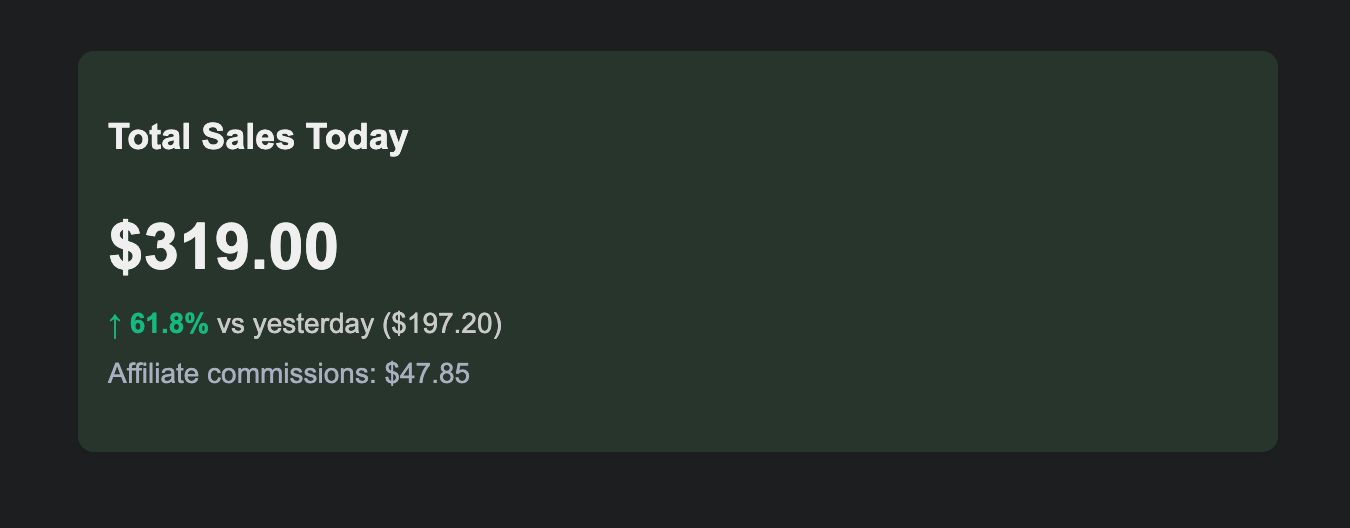
I've added a new feature that keeps everyone informed about their affiliate program performance. Now both program owners and affiliates receive a daily email summary of the last 24 hours of activity.
Continue Reading
For Affiliates:
The daily email shows:
- Total commissions generated in the last 24 hours
- Number of new sales attributed to your links
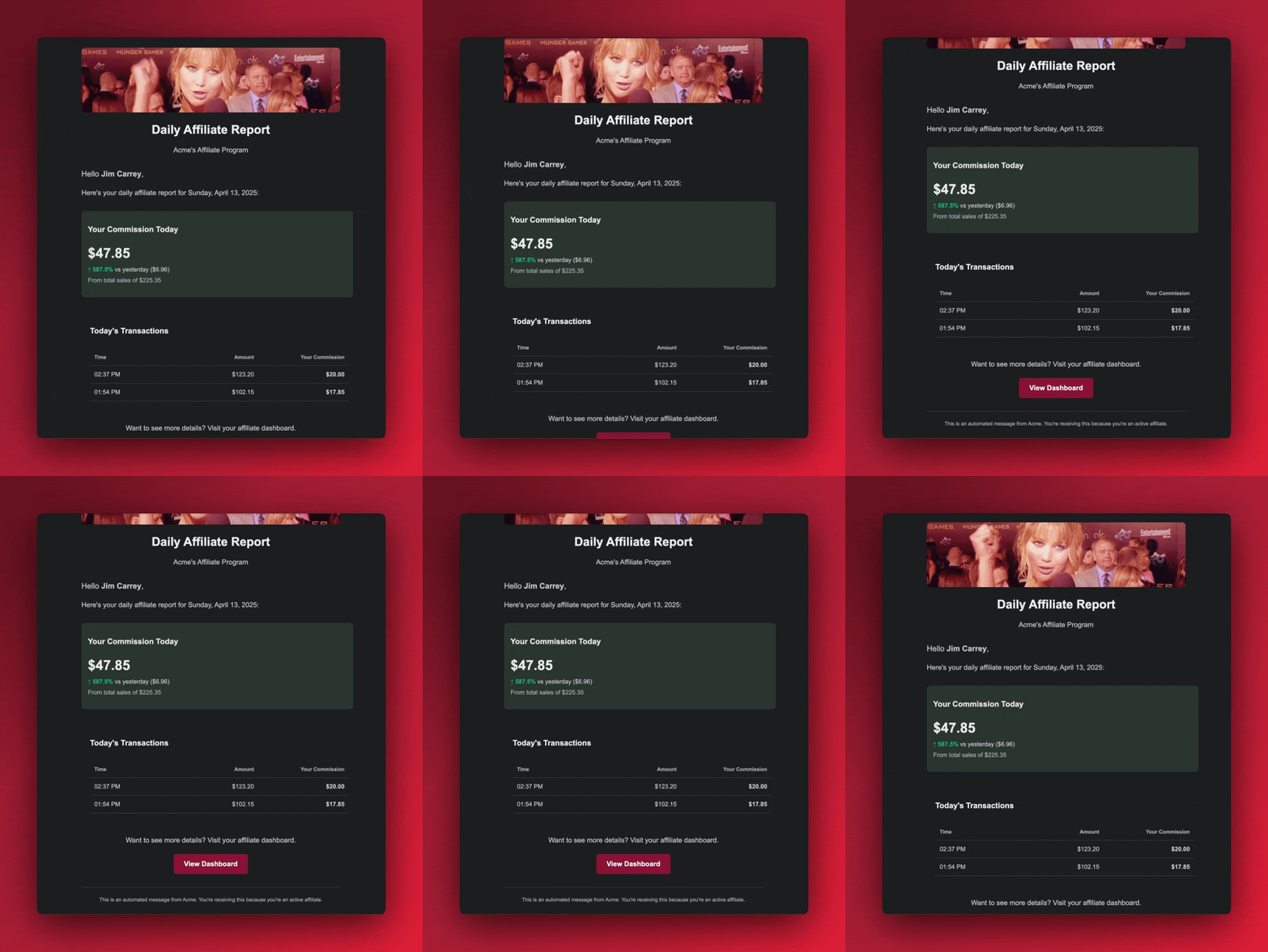
For Program Owners:
Your daily summary includes:
- Total sales generated through affiliates in the last 24 hours
- Individual affiliate performance breakdown
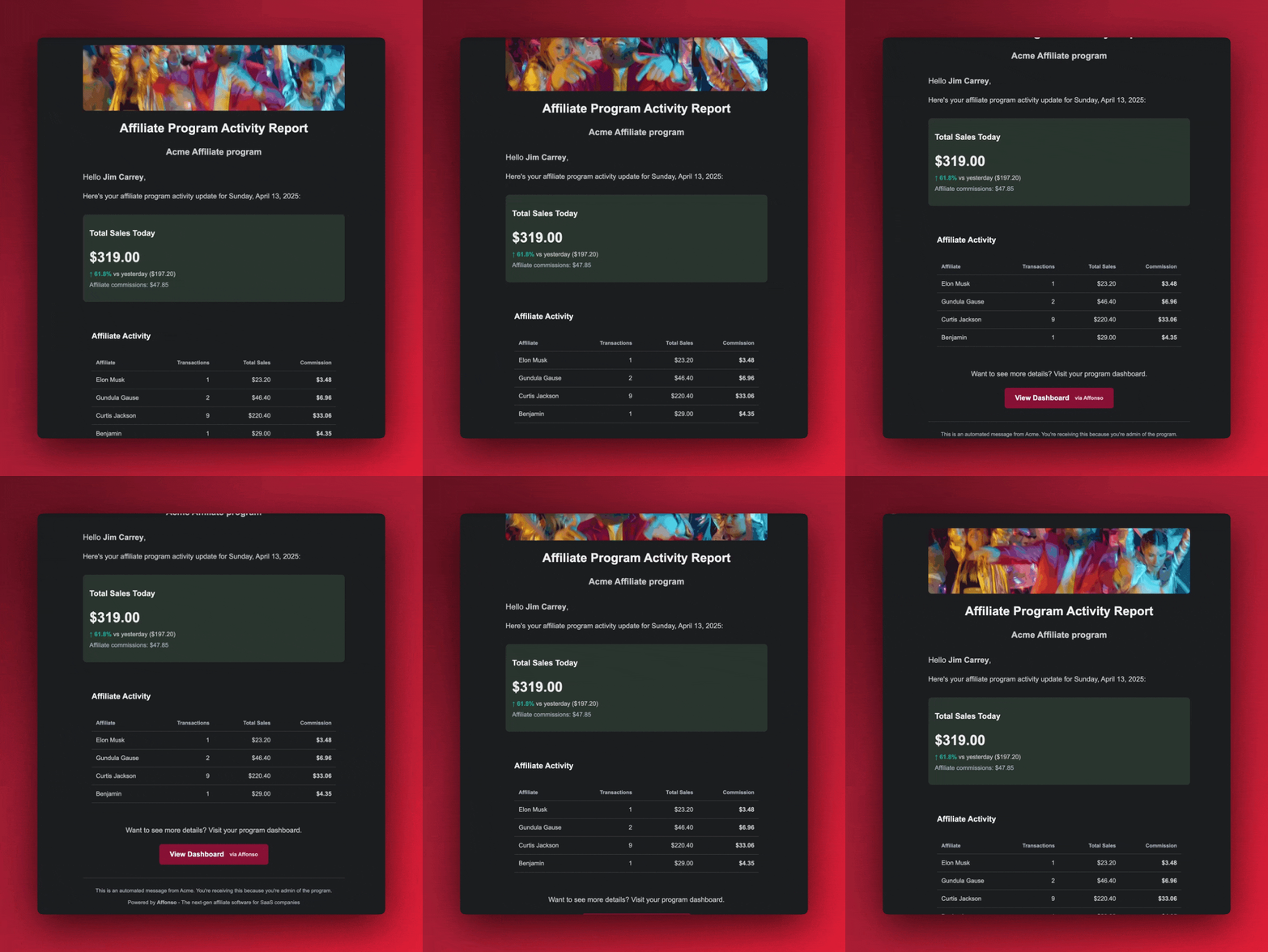
This automated reporting keeps everyone in the loop without requiring constant dashboard checks. Affiliates stay motivated by seeing their daily results, while program owners maintain clear visibility into their program's performance.
The emails are sent automatically once per day and require no configuration - they're ready to use right away!
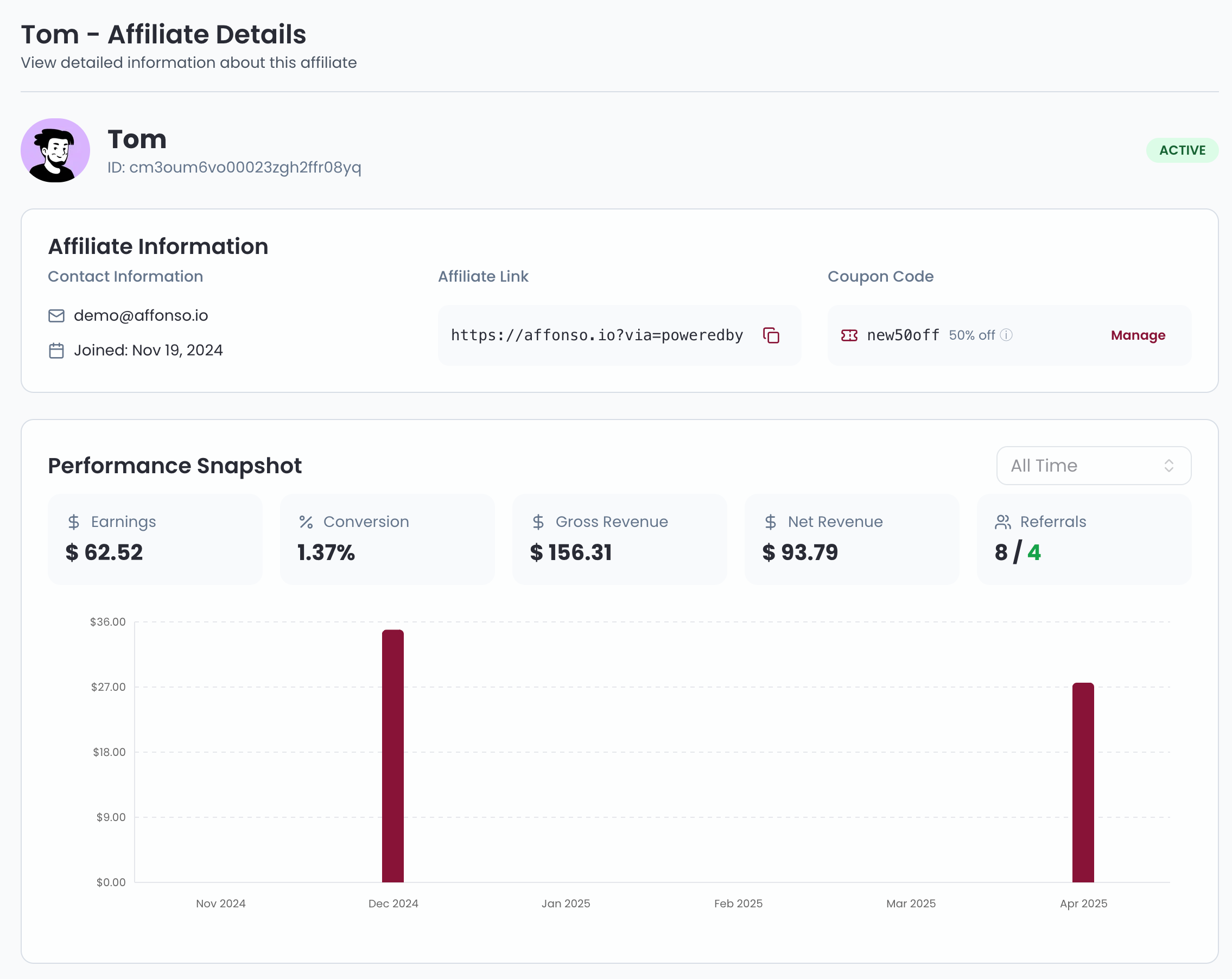
I've completely redesigned the affiliate detail view to give program owners deeper insights and better management capabilities for each affiliate.
Continue Reading
What's New:
- Comprehensive Profile Information: Easily access signup date, email, and affiliate link
- Coupon Management: Create and manage custom coupon codes directly from the affiliate profile
- Performance Snapshot: View key metrics at a glance - earnings, conversion rates, gross and net revenue
- Visual Analytics: Track performance trends with intuitive charts for referrals and conversions
- Customer Details: See complete information about every customer referred by the affiliate
- Commission Management: Review all commission entries with their current status
- Payment History: Access full payment records and payout information
Why This Matters:
Having comprehensive affiliate data in one place is essential for running an effective affiliate program. This redesigned view puts all the critical data at your fingertips so you can better understand individual affiliate performance and manage your relationships more effectively.
The enhanced view also makes it easier to identify your top performers and spot potential issues before they impact your program.
This update is live for all users - just click on any affiliate in your dashboard to experience the improved interface.
I've added a simple feature that lets users request a new One-Time Password (OTP) during the login process if the original code wasn't received or has expired.
Continue Reading
What's New:
- Resend OTP: Added a "Resend Code" button on the login verification screen
- For All Users: Available to both program owner and affiliates
Why I Added This:
Email delays happen. This update ensures you can always access your account even if an OTP email is delayed or missed.

I'm thrilled to announce our newest payment integration with Polar.sh! This highly-requested integration opens up powerful new opportunities for SaaS companies, WordPress sellers, and desktop application developers.
Continue Reading
Polar.sh has become an increasingly popular payment solution in the software industry. With this integration, you can now leverage Polar's powerful checkout experience while running a full-featured affiliate program through Affonso.
How To Get Started:
- Connect your Polar account using an API token
- Set up the webhook connection (takes just minutes!)
- Add our lightweight tracking script to your website
- Start inviting affiliates to promote your products
For step-by-step instructions, check out our complete integration documentation here.
This is just the beginning of our expansion plans for 2025. Stay tuned for more exciting integrations coming soon!
I've added an important security feature to protect your affiliate program from self-referral fraud, saving you from paying unearned commissions.
Continue Reading
What's New:
- Automatic Detection: The system now automatically identifies and flags potential self-referrals
- Dashboard Alerts: Suspicious referrals are highlighted in your dashboard for easy review
- Action Controls: Take appropriate actions directly from the dashboard:
- Reject specific referrals to prevent commission payments
- Block affiliates engaging in fraudulent behavior
- Review detailed evidence before making decisions
Why I Added This:
Self-referrals can significantly impact your program's ROI and undermine its integrity. This feature helps maintain a fair program where commissions are earned honestly, not through exploiting the system.
How It Works:
The detection system uses multiple data points to identify when affiliates are likely referring themselves. You maintain full control over the final decision, with clear information to guide your actions.
I've added a country step to affiliate onboarding so program owners instantly see where affiliates operate and can manage eligibility with clarity.
Continue Reading
What's New:
- Country selection during onboarding
- Flag badge shown across list and details views
Why I Added This:
Clear country visibility helps owners understand affiliate origins at a glance and, where needed, limit participation to specific regions—without awkward manual checks.
I've added a new feature that allows you to create custom coupon codes for your affiliates directly within Affonso when using Stripe as your payment processor.
Continue Reading
What's New:
- Custom Coupon Creation: Create personalized coupon codes for each affiliate directly in Affonso
- Automatic Stripe Integration: Coupon codes are instantly synced to your Stripe account
- Link-Free Promotions: Affiliates can now be identified by their unique coupon code - no affiliate links required
- Win-Win Solution: Your customers get discounts while affiliates still earn their commissions
How It Works:
- Create a unique coupon code for an affiliate in Affonso
- The coupon is automatically created in your Stripe account
- When customers use the coupon during checkout, the system identifies the affiliate
- Commissions are tracked and credited correctly without needing a traditional affiliate link
This feature gives your affiliates more flexibility in how they promote your products, especially in situations where direct links aren't practical (podcasts, videos, offline events).
I'm excited to announce our newest integration with Creem! This addition expands our payment processor support for SaaS companies.
Continue Reading
Creem.io has been gaining popularity as a flexible payment solution in the software industry. Now you can use Creem for your payments while managing your affiliate program through Affonso.
How To Get Started:
- Connect your Creem account using your API key
- Set up the Creem webhook to receive real-time payment notifications
- Add our lightweight tracking script to your website
- Pass referral data to Creem during checkout
- Start inviting affiliates to promote your products
For step-by-step instructions, see our Creem integration documentation.
This integration allows for seamless tracking across your marketing site and application domains, with full support for signup tracking to give you deeper insights into your affiliate funnel.
We've completely revamped our pre-login affiliate dashboard with a modern, user-friendly interface. The new design provides a streamlined entry point for potential affiliates, featuring a clean sign-in process with magic link authentication.
Continue Reading
Transparent Program Information
Before logging in, visitors can now explore all available affiliate programs in detail. Each program listing includes comprehensive information about commission structures, payout terms, and program benefits, helping partners make informed decisions.
Brand Customization
Portal owners can now fully customize their affiliate landing page with brand colors and logos, creating a cohesive experience that matches their corporate identity.

Ready to grow your business
through partnerships?
Find the right partners, help them promote, and turn their work into measurable revenue.