 Affonso
Cap commission per referred customer
Set Commission Cap on an incentive so one affiliate cannot earn more than a fixed total from one referred customer. Later payments from that customer generate no further commission once the cap is reached. This is per (affiliate, referred customer). It is not the plan's affiliate-revenue cap.
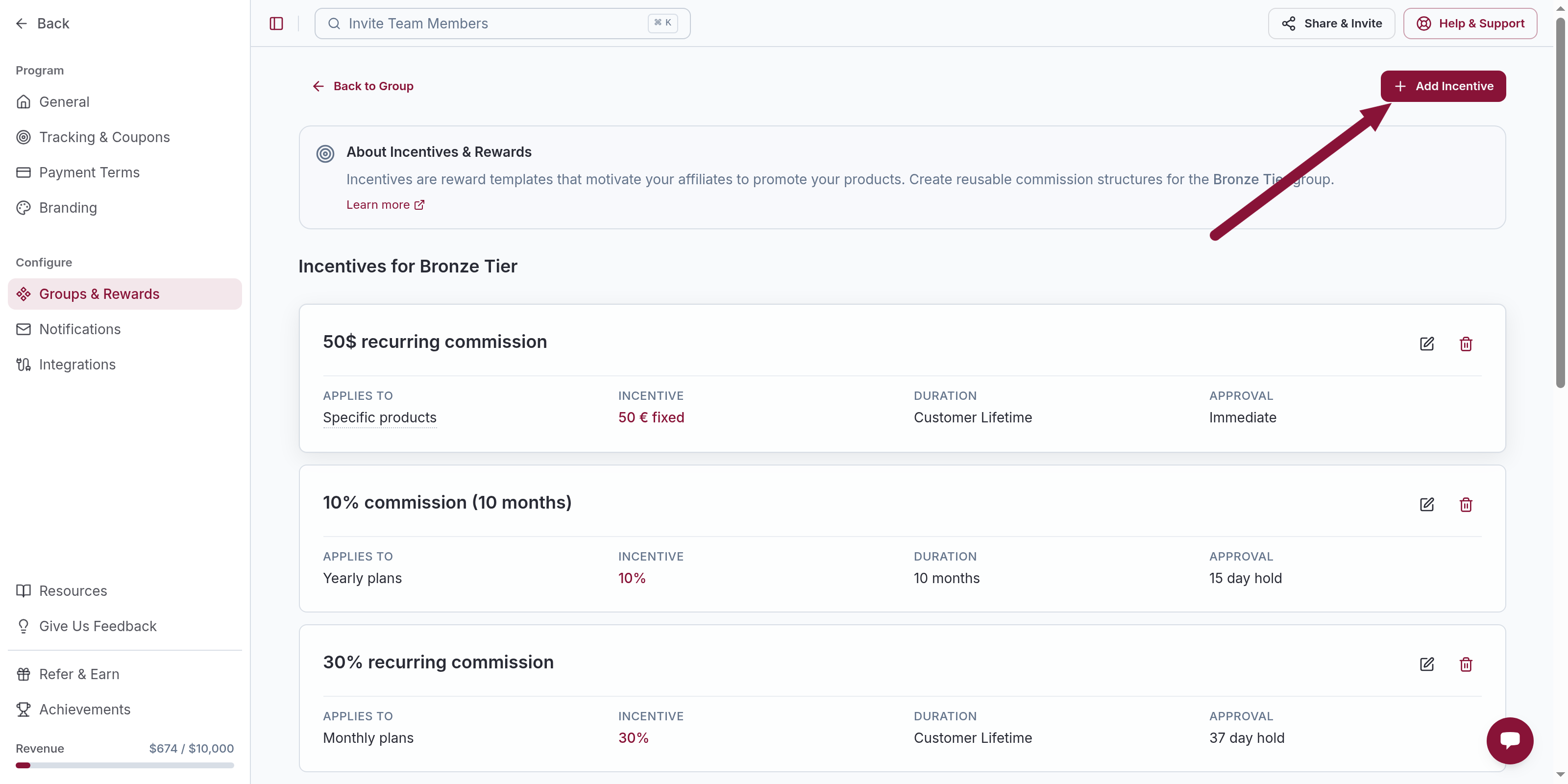
Open the incentive
Click the Percentage or Fixed incentive you want to cap, or Add Incentive and create one.
Set Commission Cap
Under Commission Conditions, find Commission Cap. Turn on Limit total commission per referred customer.
Enter the ceiling in Cap commission at $ per referred customer.
Leave the switch off if you do not want a cap. Save.
Affonso compares the new commission to what that affiliate has already earned from that customer:
- Under the cap — the commission is paid in full
- Would go over — the commission is reduced to the remaining budget
- Cap already reached — commission is
$0
Refunded and declined earnings still count toward the cap. It is a ceiling on commission ever generated for that customer, not only on what was paid out.
Example
Cap is $200. The affiliate has already earned $180 from one customer.
| Next payment generates... | Affiliate receives |
|---|---|
| $15 commission | $15 (total now $195) |
| $50 commission | $20 (capped to the remaining budget) |
| Any payment after $200 | $0 (cap exhausted) |
The same affiliate can still earn up to the cap on every other customer they refer.
If multi-level commissions are on and the direct affiliate is fully capped on that customer, Affonso creates no direct earning for that payment, so no upline partner earns from it either.
You can set a different cap (or none) on a per-affiliate override: open the affiliate → Custom Incentives → Add Override.
Common issues
Confused with the $1,000 / $10,000 number on Billing
Cause: That number is the Affonso plan's tracking cap, not this per-customer Commission Cap.
Solution: The plan limit is See your plan's affiliate-revenue cap. Set Commission Cap on the incentive when you want a per-customer ceiling.
Cap looks ignored after a refund
Cause: Refunded and declined earnings still count toward the total.
Solution: The cap does not reopen when a later payment is refunded. Lower the cap or decline only if that commission should not have been generated.
Related
Was this article helpful?

Ready to grow your business
through partnerships?
Find the right partners, help them promote, and turn their work into measurable revenue.